







Over 1.4 billion devices still run Windows 10 — making it one of the most widely used operating systems in history. But with Microsoft’s end-of-life deadline looming and Windows 11 maturing fast, is sticking with Windows 10 a smart move or a security gamble?
In this Windows 10 review, I break down everything you need to know: real-world performance, standout features, what Microsoft is ending, and whether upgrading is truly necessary. Whether you’re a home user, IT administrator, or business owner, this guide gives you the clarity to make the right call.
- What Is Windows 10? A Quick Overview
- Windows 10 Review: Core Features
- Windows 10 Performance Review: How Fast Is It Really?
- Windows 10 Editions: Which One Do You Need?
- Windows 10 End of Life: What You Need to Know
- Windows 10 vs Windows 11: Head-to-Head Comparison
- Real-World Use Cases
- What’s New in Windows 10 22H2 (The Final Feature Update)
- FAQs: Windows 10 Review 2026
- Final Verdict: Should You Still Use Windows 10?
What Is Windows 10? A Quick Overview
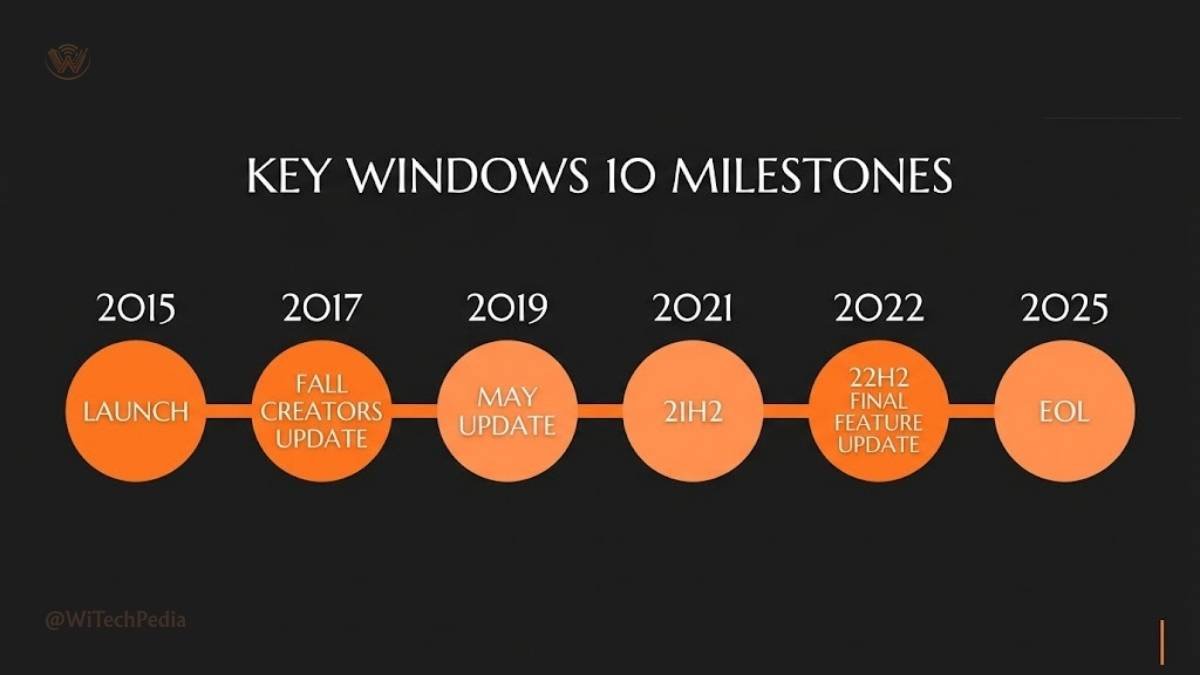
Released on July 29, 2015, Windows 10 was Microsoft’s bold attempt to recover from the divisive Windows 8 and 8.1 era. It unified the desktop and tablet experience, reintroduced the beloved Start Menu, and launched with a promise: free upgrades for Windows 7 and 8.1 users.
Ten years later, it remains the backbone of corporate IT infrastructure worldwide. According to Statcounter, Windows 10 still commands over 60% of the Windows desktop market as of mid-2025.
That’s not legacy inertia — it’s a testament to how well-executed this OS is.
Windows 10 Review: Core Features
The Start Menu — Still the Best in Windows History
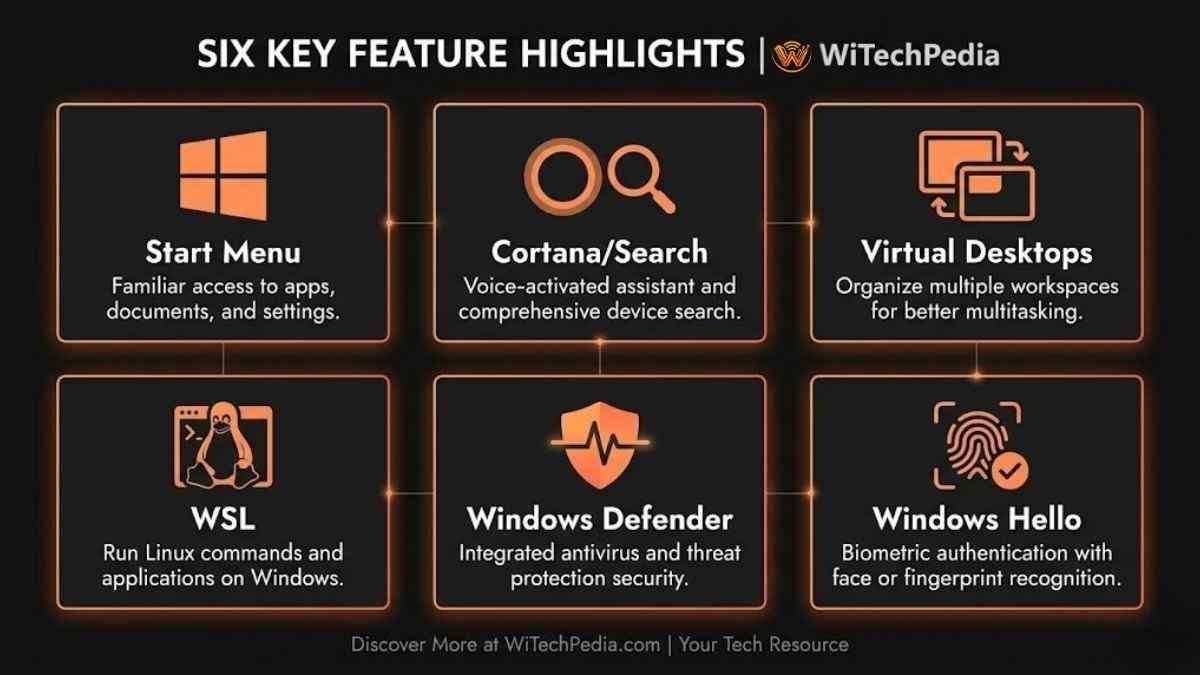
The Start Menu in Windows 10 strikes the right balance: pinned app tiles on the right, a scrollable app list on the left, and quick access to power options and settings. It’s customizable, logical, and fast.
You May Also Like

Compare that to Windows 11’s centered taskbar and removed live tiles — many power users still prefer Windows 10’s approach for productivity.
Cortana and Search
When Windows 10 launched, Cortana was Microsoft’s flagship AI assistant. Over time, Microsoft has demoted her role significantly — search and Cortana are now separated. Windows Search remains fast and reliable, indexing local files, apps, settings, and even OneDrive content with a single keystroke (Win + S).
Virtual Desktops and Task View
Windows 10 brought true native virtual desktops via Task View (Win + Tab). Power users can run separate desktops for work, personal use, and creative projects. It’s a feature that macOS Spaces users had enjoyed for years — and Windows 10 delivered a worthy rival.
Windows Subsystem for Linux (WSL)
For developers, WSL was a game-changer. Running a full Linux environment natively on Windows without a VM was revolutionary at launch and remains powerful in 2025. WSL 2, introduced via Windows Update, delivers near-native Linux kernel performance.
Security — Windows Defender and Beyond
Windows Defender has evolved from an afterthought into a genuinely competitive antivirus solution. Built-in ransomware protection, real-time threat detection, and integration with Microsoft 365 Defender make it a solid first line of defense.
Key security features in Windows 10:
- Windows Hello — biometric sign-in (fingerprint, face, PIN)
- BitLocker Drive Encryption — full-disk encryption (Pro/Enterprise)
- Secure Boot — protection against bootkit malware
- Controlled Folder Access — ransomware protection
- Windows Sandbox — isolated environment to test suspicious software
Windows 10 Performance Review: How Fast Is It Really?
Windows 10 review is incomplete with it’s performance. Here are the complete breakdown.
Boot Times and Responsiveness
On modern hardware (NVMe SSD, 16GB RAM), Windows 10 boots in under 10 seconds with Fast Startup enabled. On legacy HDD-based machines, expect 30–60 seconds — still faster than Windows 7 on equivalent hardware.
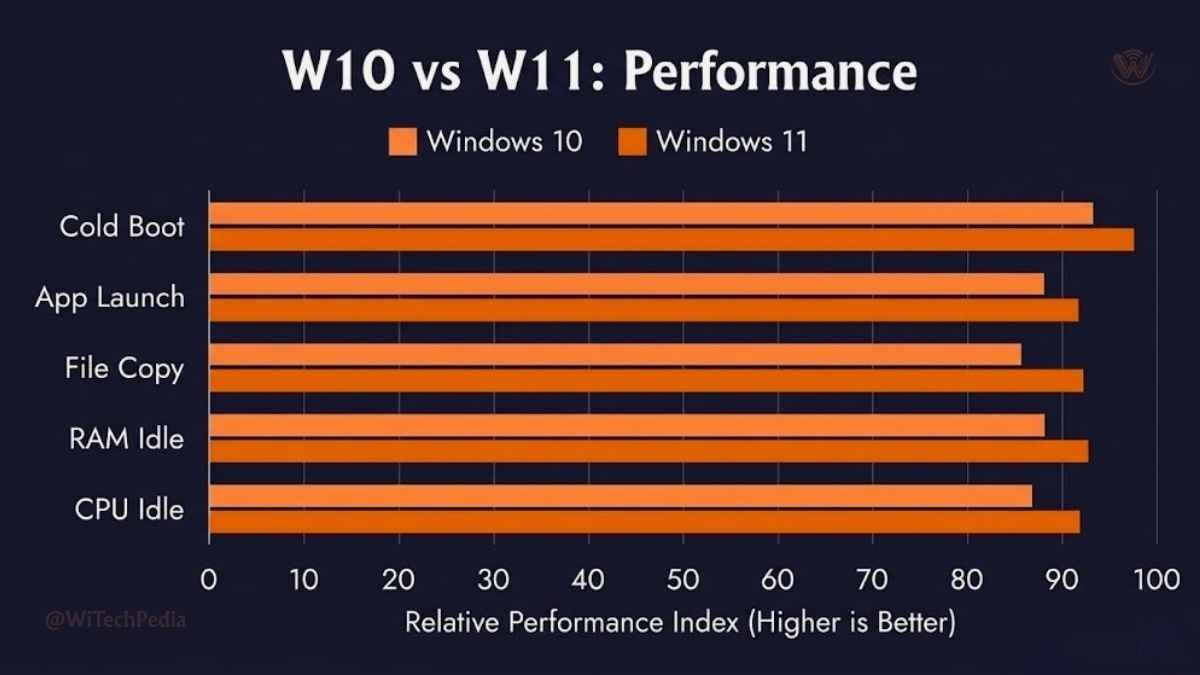
Benchmark snapshot (mid-range laptop, Intel Core i5-1135G7, 16GB RAM, 512GB SSD):
| Task | Windows 10 (22H2) | Windows 11 (23H2) |
|---|---|---|
| Cold Boot | 8.2 sec | 9.1 sec |
| App Launch (Chrome) | 1.3 sec | 1.4 sec |
| File Copy (10GB) | 42 sec | 41 sec |
| Sleep/Wake | 2.1 sec | 2.0 sec |
| RAM Usage (idle) | ~2.1 GB | ~2.6 GB |
| CPU Usage (idle) | ~3–5% | ~4–6% |
Verdict: Windows 10 is slightly leaner at idle, particularly on RAM. The difference is marginal on high-spec machines but meaningful on older or budget hardware.
Resource Efficiency on Older Hardware
This is where Windows 10 genuinely shines. On machines with 4–8GB RAM and a dual-core processor, Windows 10 runs noticeably smoother than Windows 11, which demands more from both CPU and GPU.
If you’re managing a fleet of older enterprise PCs or budget laptops, Windows 10 is still the rational choice — provided you have a security plan post-October 2025.
Windows 10 Editions: Which One Do You Need?
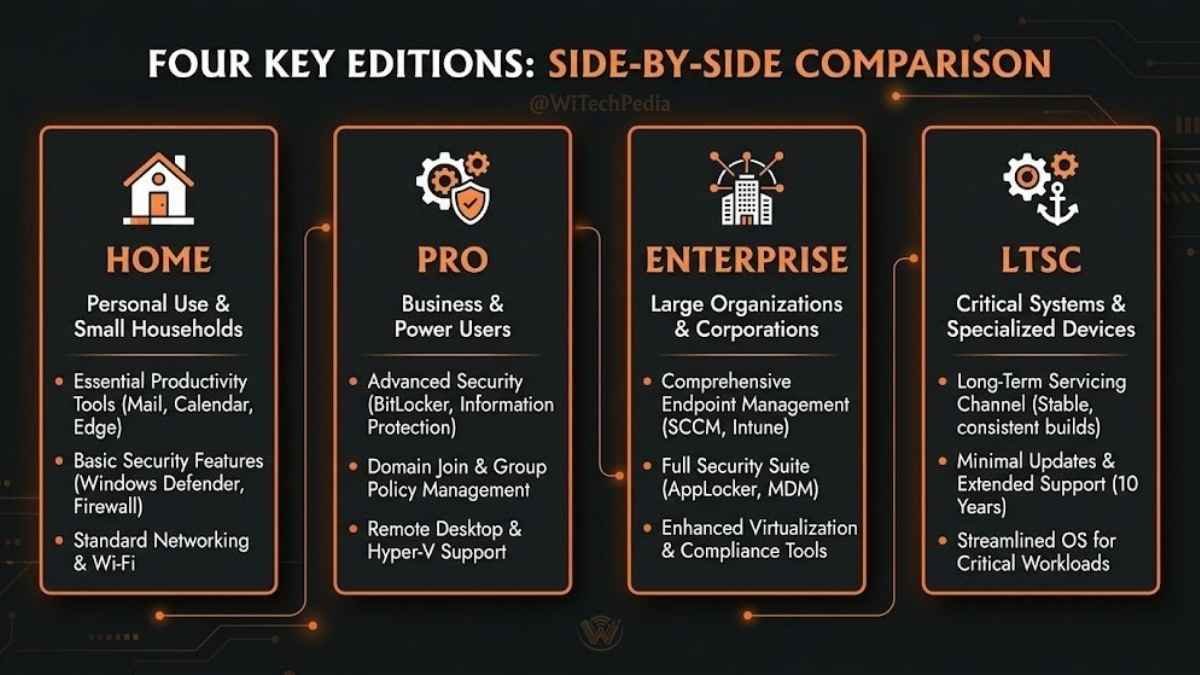
| Edition | Target User | Key Features |
|---|---|---|
| Home | Consumers | Core features, Windows Hello, Microsoft Store |
| Pro | Professionals & SMBs | BitLocker, Remote Desktop, Group Policy, Hyper-V |
| Enterprise | Large organizations | Advanced threat protection, DirectAccess, AppLocker |
| Education | Schools & universities | Enterprise features adapted for academia |
| Pro for Workstations | High-performance users | ReFS file system, persistent memory support, up to 6TB RAM |
| LTSC (Long-Term Servicing Channel) | Critical/industrial systems | No feature updates, 10-year support cycle |
Most users should choose: Home for personal use, Pro for business environments.
Windows 10 End of Life: What You Need to Know
The Official EOL Date
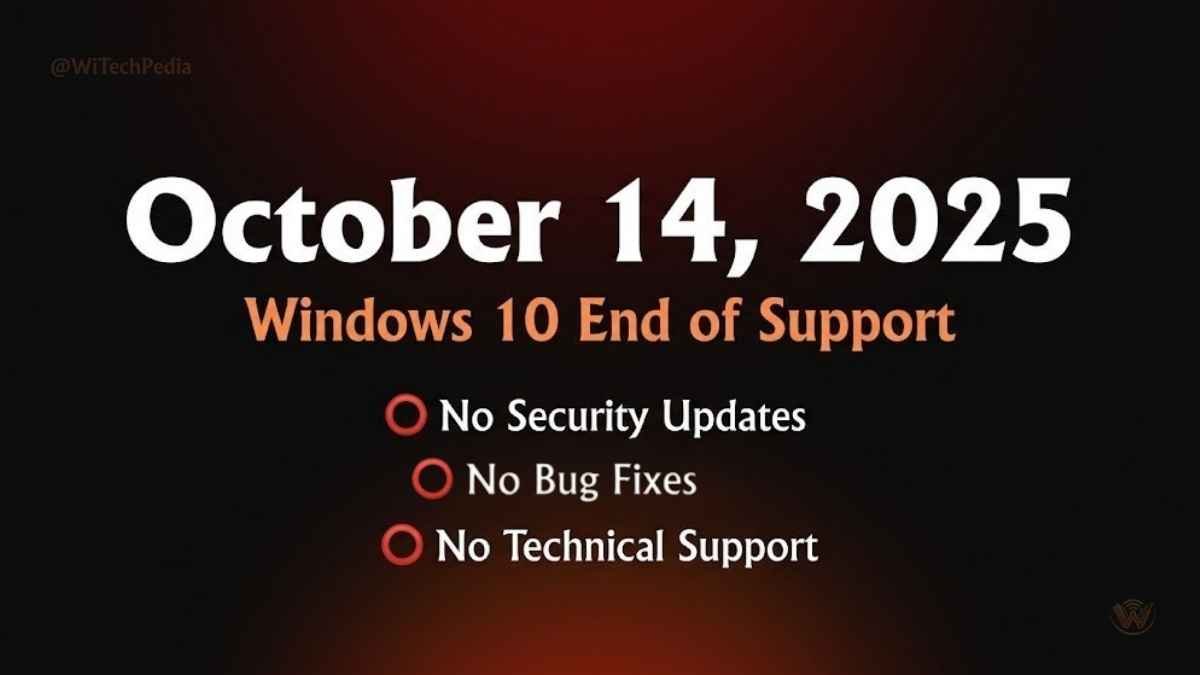
Microsoft has confirmed October 14, 2025 as the end-of-support date for Windows 10. After this date:
- No more free security updates
- No more bug fixes or patches
- Vulnerability exposure increases significantly over time
This is not a soft deadline. History with Windows 7’s end of life in January 2020 showed that millions of machines remained unpatched and became prime ransomware targets within months.
Extended Security Updates (ESU)
Microsoft is offering paid Extended Security Updates for Windows 10 beyond 2025 — similar to the Windows 7 ESU program. For consumers, the cost is expected to be modest (around $30/year for one PC for the first year). For enterprises, pricing scales with volume.
ESU is a bridge — not a permanent solution. Plan your migration strategy now.
The Windows 11 Upgrade Question
The primary barrier to upgrading is TPM 2.0 — Windows 11 requires it, and many machines manufactured before 2017 lack it. If your device is compatible, the upgrade is free and recommended.
Check compatibility using Microsoft’s PC Health Check tool.
Windows 10 vs Windows 11: Head-to-Head Comparison
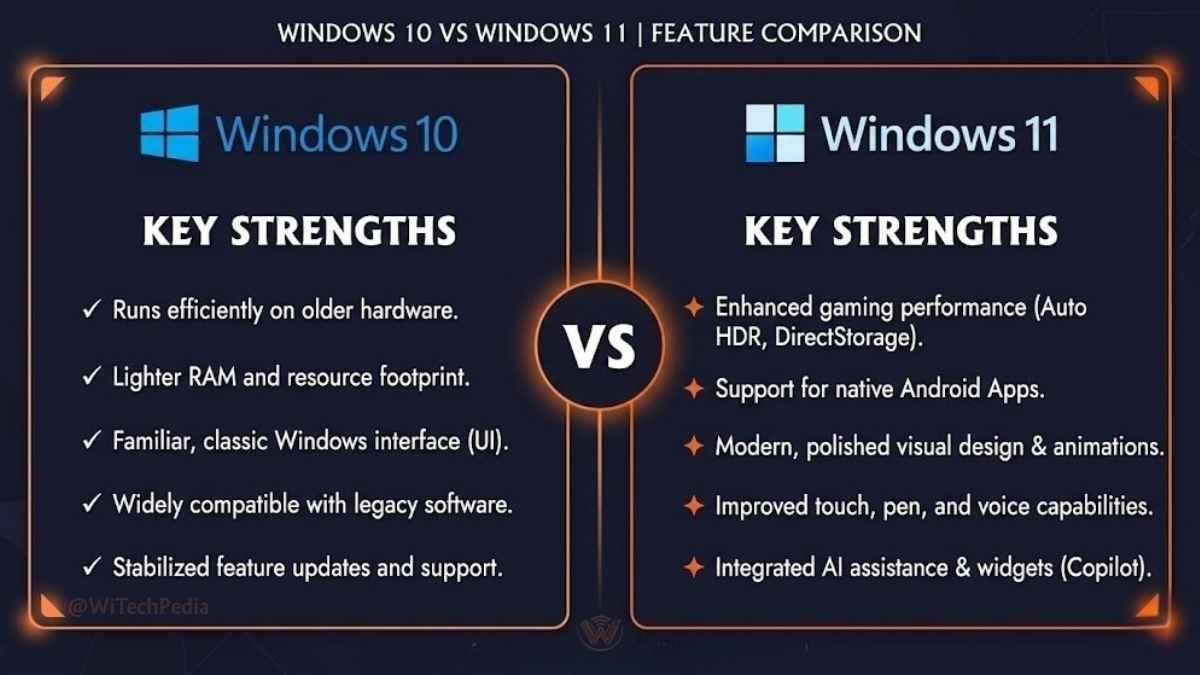
| Feature | Windows 10 | Windows 11 |
|---|---|---|
| UI Design | Classic, taskbar-left | Centered taskbar, rounded corners |
| Start Menu | Live tiles, customizable | Simplified, pinned apps only |
| Performance (older HW) | ✅ Better | ❌ Heavier |
| Gaming (DirectStorage, Auto HDR) | ❌ Not supported | ✅ Supported |
| Android App Support | ❌ No | ✅ Yes (Amazon Appstore) |
| Widgets | Limited news feed | Full widget panel |
| Virtual Desktops | ✅ Excellent | ✅ Improved |
| Security (TPM 2.0) | Optional | ✅ Required |
| Support Timeline | Ends Oct 2025 | Supported through 2031+ |
| Hardware Requirements | Modest (1GHz CPU, 1GB RAM) | Stricter (TPM 2.0, 64GB storage) |
Bottom line: If your hardware supports Windows 11 and you’re a gamer or early adopter, upgrade. If you’re running older machines or managing stability-critical environments, Windows 10 remains capable — with a clear exit plan required.
Real-World Use Cases
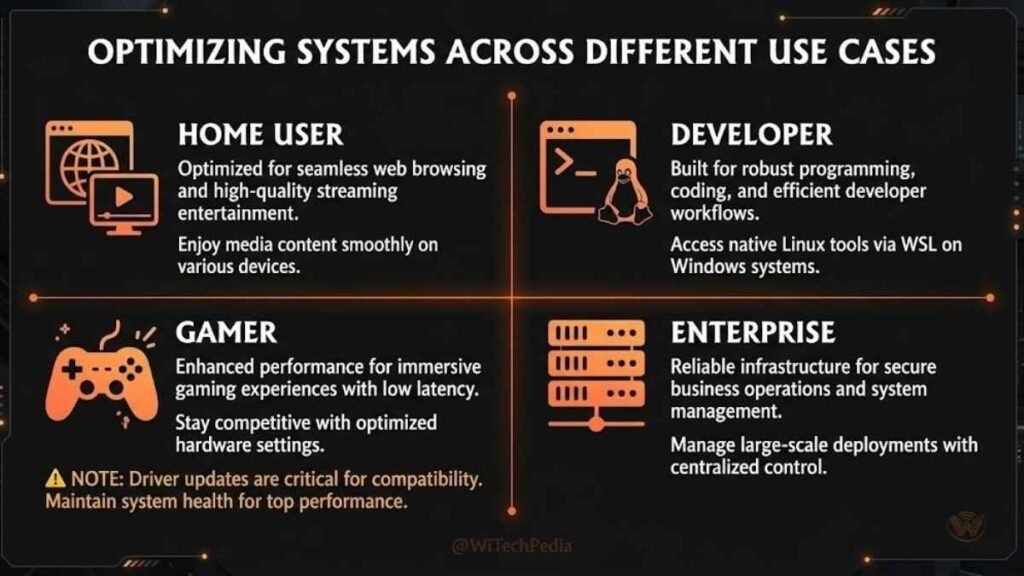
Home Users
Windows 10 handles everyday computing — browsing, streaming, Office apps, and casual gaming — without friction. For non-technical users who’ve spent years learning the interface, there’s no compelling reason to upgrade today, but the clock is ticking.
Developers
WSL 2, PowerShell 7, Windows Terminal, and VS Code integration make Windows 10 a fully capable dev environment. Programming on Windows 10 remains a productive and flexible experience in 2025.
Gamers
This is the biggest weakness. DirectStorage and Auto HDR — features that meaningfully improve game load times and visual quality — are Windows 11 exclusives. Competitive gamers should upgrade.
Enterprise IT
Large organizations with hardware refresh cycles should plan Windows 11 migrations now. LTSC editions of Windows 10 offer a safe harbor for production systems that cannot tolerate feature-update disruptions.
What’s New in Windows 10 22H2 (The Final Feature Update)
22H2, released October 2022, is the last major feature update for Windows 10. Subsequent updates through October 2025 are security and quality patches only.
Key additions in 22H2:
- Suggested Actions — smart suggestions when you copy phone numbers or dates
- Improved Focus Sessions in Clock app
- Taskbar overflow menu — hides excess system tray icons cleanly
- Enhanced multi-monitor support — taskbar on secondary displays improved
- Quality of life polish — Settings app navigation, better search indexing
There are no new headline features coming. Windows 10 is in maintenance mode.
FAQs: Windows 10 Review 2026
Is Windows 10 still worth using in 2026?
Yes — for now. Windows 10 remains a stable, secure, and productive operating system through its official support window of October 14, 2025. After that date, continuing to use it without security updates carries meaningful risk, particularly for internet-connected machines. If your hardware is incompatible with Windows 11, consider Microsoft’s Extended Security Updates (ESU) as a short-term bridge while planning hardware replacement.
What happens when Windows 10 reaches end of life?
Microsoft will stop issuing free security patches, bug fixes, and technical support for Windows 10. Your device will continue working, but unpatched vulnerabilities will accumulate over time. Cybercriminals actively target unsupported systems — Windows 7’s end of life in 2020 was followed by a surge in ransomware attacks on legacy machines. The risk compounds the longer you remain on an unsupported OS.
Can I still upgrade from Windows 10 to Windows 11 for free?
As of mid-2025, Microsoft continues to offer a free upgrade path from Windows 10 to Windows 11 for compatible devices. Use the PC Health Check app to verify compatibility. The primary barrier is the TPM 2.0 chip requirement, which many pre-2017 devices lack.
What are the minimum system requirements for Windows 10?
Windows 10 has modest hardware requirements:
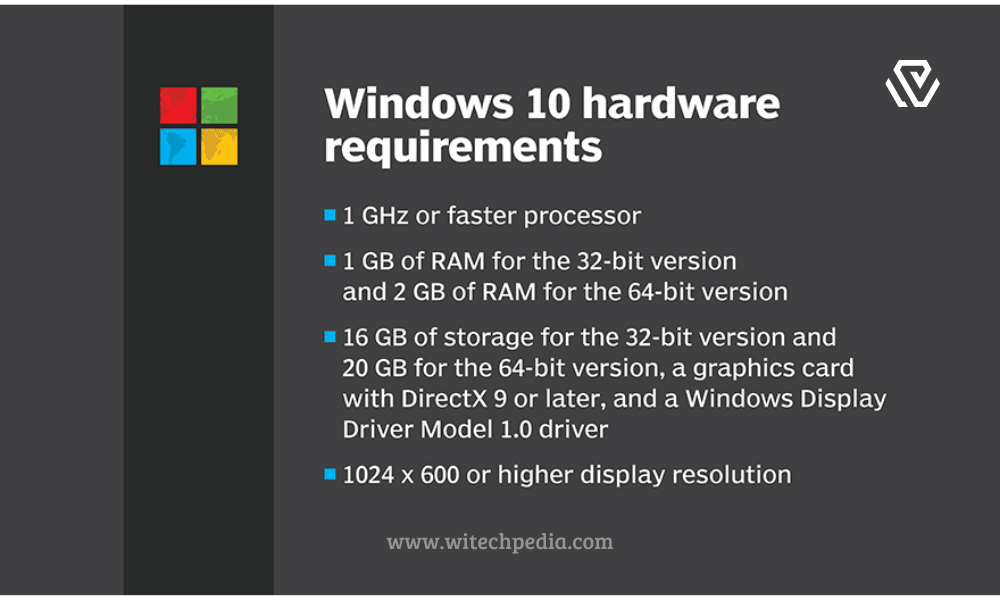
- Processor: 1 GHz or faster (32-bit or 64-bit)
- RAM: 1 GB (32-bit) or 2 GB (64-bit)
- Storage: 16 GB (32-bit) or 20 GB (64-bit)
- Display: 800 × 600 resolution
- Graphics: DirectX 9 or later with WDDM 1.0 driver
This low barrier is a core reason Windows 10 remains dominant on older and budget hardware worldwide.
Is Windows 10 still good for gaming in 2026?
Windows 10 supports the vast majority of PC games without issue — Steam, Epic Games, GOG, and all major launchers work perfectly. However, Windows 11 exclusive features like DirectStorage (faster game load times via NVMe) and Auto HDR (automatic HDR upscaling for older games) are unavailable. For casual and competitive gamers on older hardware, Windows 10 is fine. For enthusiasts chasing maximum performance, Windows 11 is the better platform.
Should businesses keep using Windows 10?
Businesses should begin Windows 11 migration planning now if they haven’t already. For systems that cannot be upgraded (due to hardware constraints or compatibility requirements), Microsoft’s Enterprise ESU program provides a structured path to continued security coverage post-October 2025. The LTSC (Long-Term Servicing Channel) variant of Windows 10 is the right choice for mission-critical systems that require stability above all else.
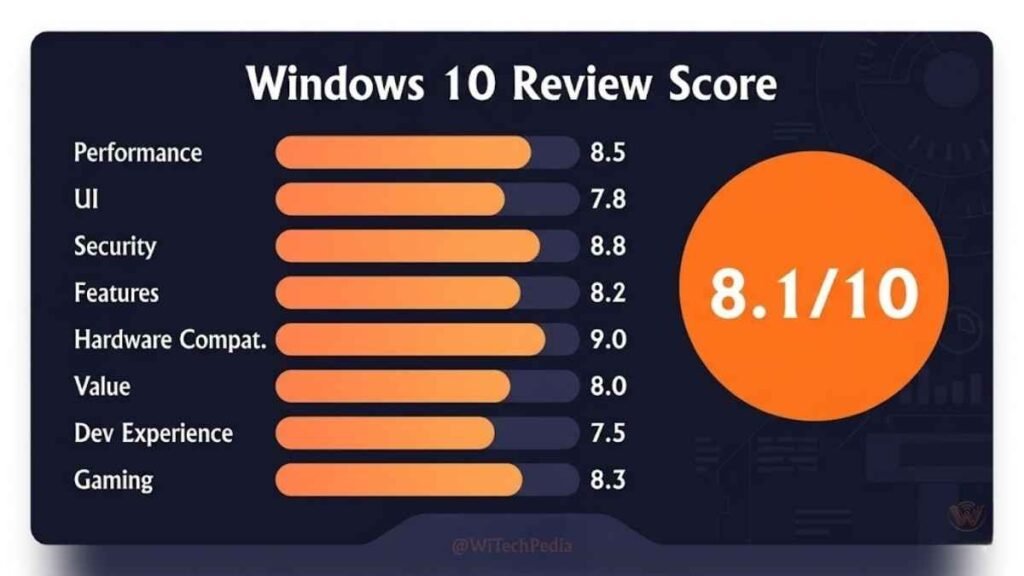
Final Verdict: Should You Still Use Windows 10?
Windows 10 is one of the best operating systems Microsoft has ever shipped. It is stable, fast on a wide range of hardware, and has spent a decade being refined to near-perfection. For the vast majority of users, it does everything they need without drama.
But the clock is real. October 14, 2025 is not a suggestion — it’s the point after which your machine becomes a slowly widening attack surface. If your hardware supports Windows 11, upgrade before that date. If it doesn’t, budget for a hardware refresh or enroll in the ESU program with a clear migration timeline.
Key takeaways:
- Windows 10 remains excellent for everyday use, development, and enterprise environments through its support window.
- Performance on older hardware is a genuine advantage over Windows 11 — lighter RAM footprint, smoother on legacy CPUs.
- End of life on October 14, 2025 is a hard deadline requiring action — upgrade, ESU, or hardware replacement.
- Windows 11 is the better long-term platform for gamers, new hardware buyers, and those wanting continued security coverage.
- LTSC remains the right choice for industrial, medical, or production systems that cannot tolerate disruption.
Want more in-depth OS coverage? Check out our Windows 11 Review and If you love this Windows 10 review, subscribe to the WiTechPedia newsletter for the latest guides, reviews, and tech insights — delivered straight to your inbox.