



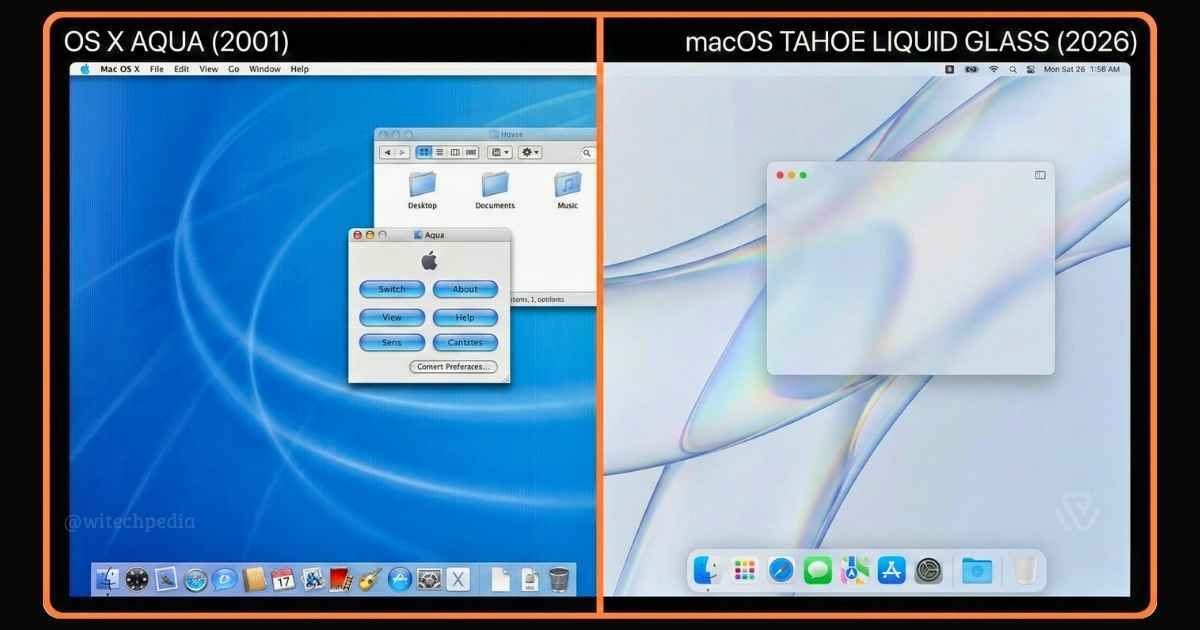
macOS (previously known as OS X and Mac OS X) is the proprietary, Unix-based operating system developed by Apple Inc. for its Mac line of computers. It is the second most widely used desktop OS globally, renowned for its graphical user interface (GUI) and deep integration with Apple’s hardware ecosystem.
As of February 2026, the current stable release is macOS 26 (Tahoe), which introduced the “Liquid Glass” design language and native support for the Apple M5 chip. macOS is built on the XNU kernel and the Darwin operating system, making it the only mass-market consumer OS that is fully UNIX 03 certified.
Architecture & Kernel
Unlike Windows, which uses a hybrid kernel, macOS is built upon a unique open-source foundation.
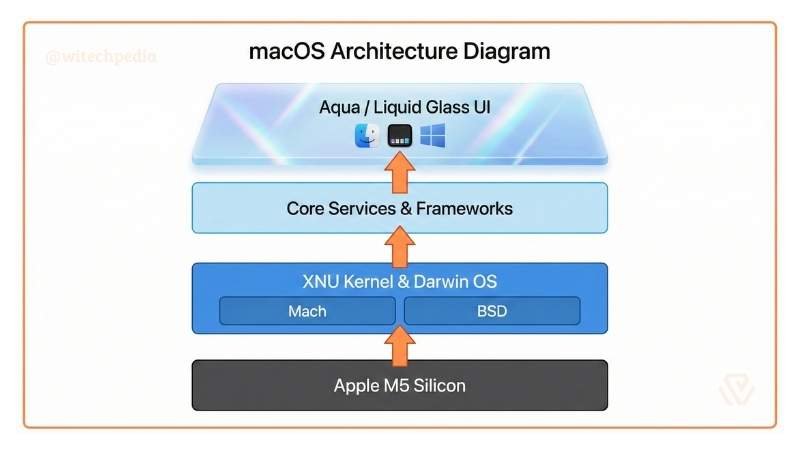
The Darwin Core
At the heart of macOS lies Darwin, an open-source Unix-like OS released by Apple in 2000. It consists of:
- XNU Kernel: A hybrid kernel combining the Mach microkernel (for memory management and IPC) and BSD (for file systems and networking).
- I/O Kit: An object-oriented device driver framework.
- Launchd: A unified service management framework for starting, stopping, and managing daemons and agents.
The Transition to Apple Silicon
The most significant architectural shift in macOS history began in 2020 with macOS Big Sur. The OS transitioned from the Intel x86-64 architecture to the ARM64-based Apple Silicon.
- Unified Memory (UMA): The CPU and GPU share a single pool of high-bandwidth, low-latency memory.
- Rosetta 2: A translation layer that allowed Intel-based apps to run on M1/M2 chips. Note: Rosetta 2 was officially deprecated in macOS Tahoe (2026).
File System (APFS)
Introduced in macOS High Sierra (10.13), the Apple File System (APFS) replaced HFS+. It is optimized for Flash/SSD storage and features:
- Cloning: Instant file copying without using additional storage space.
- Snapshots: Read-only instances of the file system, crucial for Time Machine backups.
- Space Sharing: Multiple volumes can share the same free space container.
Security Layers
macOS employs a “Defense in Depth” strategy.
- Gatekeeper: Ensures only trusted software runs on the Mac.
- System Integrity Protection (SIP): Also known as “Rootless,” it prevents the root user from modifying critical system files.
- Signed System Volume (SSV): Introduced in Big Sur, the system volume is cryptographically signed; if it is tampered with, the Mac will not boot.
Release History and Timeline of macOS
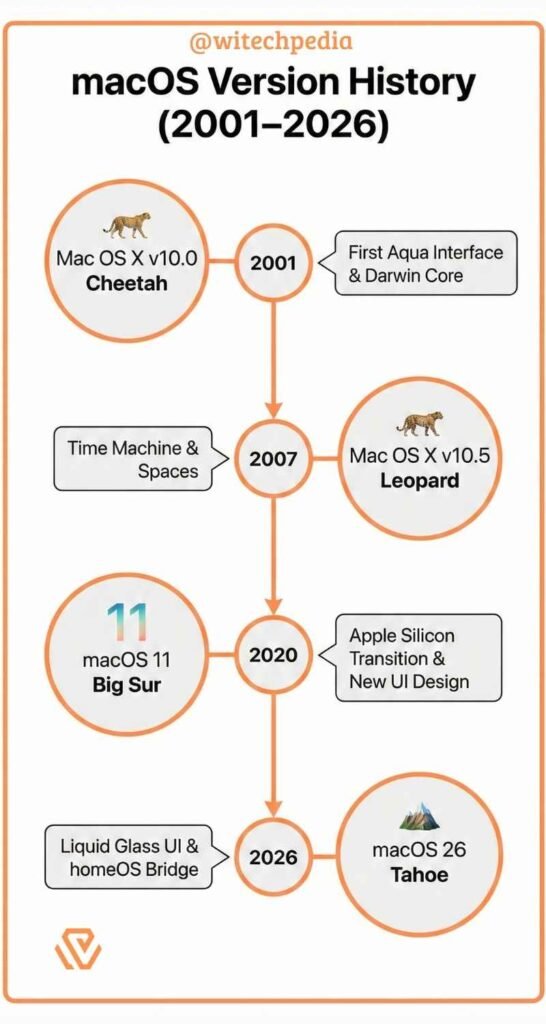
Below is the chronological evolution of the operating system.
| Version | Codename | Release Year | Key Feature |
| macOS 26 | Tahoe | 2025 | Liquid Glass UI, homeOS bridging, Edge Light |
| macOS 15 | Sequoia | 2024 | Apple Intelligence, iPhone Mirroring |
| macOS 14 | Sonoma | 2023 | Desktop Widgets, Game Mode |
| macOS 13 | Ventura | 2022 | Stage Manager, Continuity Camera |
| macOS 11 | Big Sur | 2020 | First Apple Silicon support, UI redesign |
| OS X 10.0 | Cheetah | 2001 | The first “Aqua” interface release |
User Interface (Aqua to Liquid Glass)
The visual identity of macOS has evolved through three distinct eras:
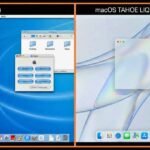
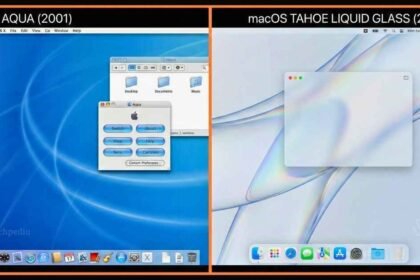
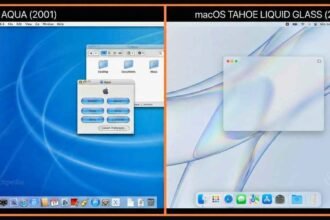
- Aqua (2001–2013): Characterized by glossy buttons, pinstripes, and skepticism features.
- Flat/Translucent (2014–2024): Introduced with OS X Yosemite, focusing on flatness and vibrancy.
- Liquid Glass (2025–Present): Introduced with macOS Tahoe, featuring real-time light refraction, “Edge Light” notifications, and heavy use of 3D depth.
Key Features of macOS Tahoe (2026)
The macOS 2026 update, widely known as Tahoe, represents the largest visual overhaul since Big Sur.
1. Liquid Glass Interface
Moving away from the flat design of the early 2020s, Liquid Glass introduces real-time translucency that mimics physical light refraction. Windows now cast “colored shadows” based on the content behind them.
2. Deep “HomeHub” Integration
With the launch of the dedicated Apple HomeHub, macOS Tahoe acts as a local server for homeOS, allowing users to control Matter-compatible smart home devices directly from the Control Center without cloud latency.
3. Spotlight with Contextual AI
Spotlight now indexes “intent” rather than just filenames. Users can type “Show me the spreadsheet I worked on while at the coffee shop last week,” and the OS uses geolocation metadata and screen context to retrieve the file.
External Sources: