



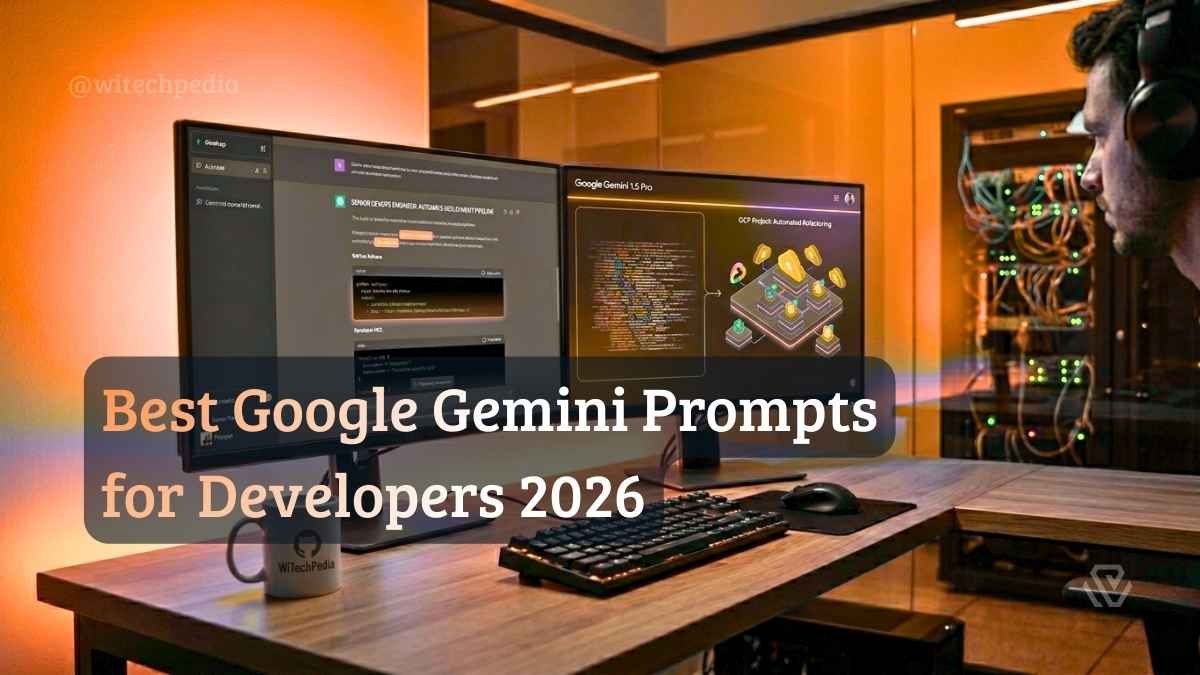
Stop treating Google Gemini like just another basic text chatbot. If you are only using it to write emails or generate generic code snippets, you are drastically underutilizing one of the most powerful tools in the modern tech stack.
- The Multimodal Mastermind (Image & Video to Code)
- Exploiting the Massive Context Window (Gemini 1.5 Pro)
- Best Google Gemini Prompts for Coding & Debugging
- Google Workspace Automation (Apps Script Magic)
- Google Cloud & Vertex AI Prompt Engineering
- Gemini vs. ChatGPT: When to Use Which?
- Frequently Asked Questions (FAQ)
- Final Thoughts
Unlike other large language models, Gemini was built from the ground up to be natively multimodal and boasts an unprecedented context window. If you aren’t feeding it massive code repositories, hour-long architecture videos, or complex network diagrams, you are missing out on its true potential.
This guide bypasses the generic advice and provides the absolute best Google Gemini prompts tailored specifically for full-stack developers, cloud architects, and power users who want to automate their advanced workflows.
The Multimodal Mastermind (Image & Video to Code)
Gemini’s native vision capabilities are industry-leading. Instead of relying on a third-party OCR plugin, Gemini natively understands spatial relationships in images and timelines in videos. Here is how to use Gemini for UI to code and diagram analysis using Gemini multimodal prompts.
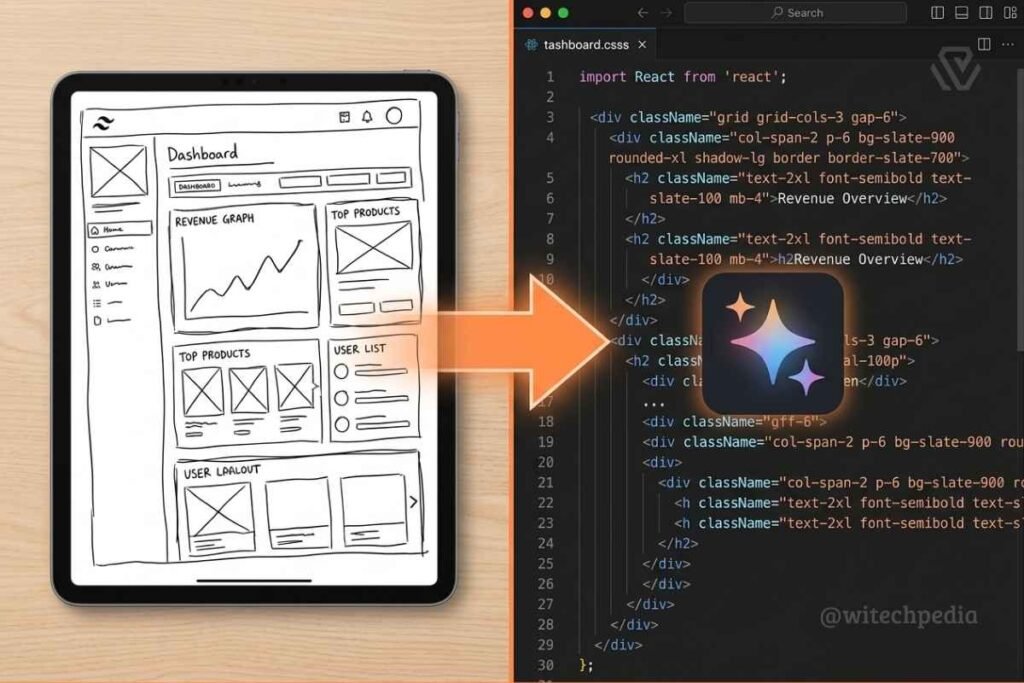
1. The UI/UX to React Converter
Stop manually translating Figma files into boilerplate code.
Prompt:
"I am uploading a wireframe sketch of a SaaS dashboard. Act as a Senior Frontend Developer. Analyze the spatial layout, typography hierarchy, and UI elements. Generate the React components and Tailwind CSS code to recreate this layout exactly. Ensure the design is fully mobile-responsive and extract the color palette used in the image."2. The Architecture Diagram Analyzer
Prompt:
"I have attached an image of a cloud network architecture diagram. Act as a Cloud DevOps Engineer. Identify all the infrastructure components (e.g., Load Balancers, EC2/Compute Engine instances, VPC subnets, and Databases) and their connections. Write a complete Terraform script (main.tf) to provision this exact architecture. Add inline comments explaining the routing logic."Exploiting the Massive Context Window (Gemini 1.5 Pro)
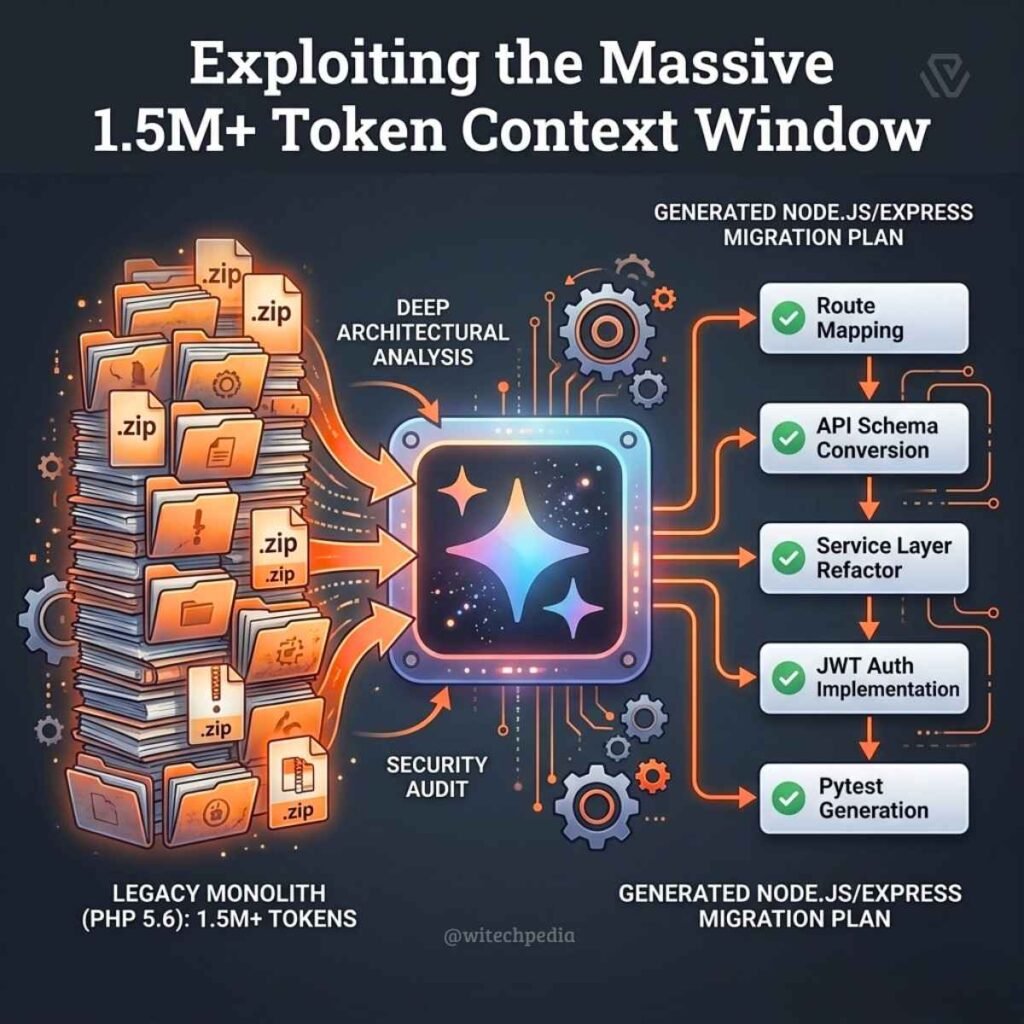
The biggest advantage Gemini holds over its competitors is its massive context window (capable of processing over 1.5 million tokens). This allows you to use google Gemini advanced prompts to ingest entire codebases, massive log files, or 500-page API documentation PDFs in a single prompt.
1. The Legacy Codebase Translator
Here is how you analyze codebase with Gemini 1.5 Pro without breaking it into tiny, disjointed chunks.
Prompt:
"I have attached a .zip file containing an entire legacy PHP application, including the routing files, controllers, and models. Act as a Senior Full-Stack Developer. First, map out the entire routing structure and document the database schema relationships. Second, write a comprehensive, step-by-step migration plan to convert this backend to a modern Node.js/Express architecture. Highlight any deprecated cryptographic functions that pose a security risk."
2. The Log File Detective
Prompt:
"I am uploading a 50MB .log file from our production server spanning the last 48 hours. Act as a Site Reliability Engineer. Scan the entire file to pinpoint the exact timestamp when the 'Out of Memory' (OOM) leak began. Identify the specific microservice or API endpoint that triggered the cascading failure and suggest a fix."
Best Google Gemini Prompts for Coding & Debugging
While Gemini is great at ingestion, you must tailor your instructions to get highly optimized output. These are the best Gemini prompts for developers looking to enforce code quality.
1. The Test-Driven Development (TDD) Partner
Prompt:
"Here is a complex Python function that processes financial transactions. Act as a Lead QA Engineer. Write a comprehensive suite of Pytest unit tests for this function. You must cover all edge cases, null inputs, negative values, and expected TypeErrors. Format the output as a single, copy-pasteable test file."
2. The Android Studio (Jetpack Compose) Refactor
Gemini is natively integrated directly into Android Studio. Use it to modernize legacy mobile code.
Prompt:
"Act as an Expert Android Developer. Convert this legacy XML-based layout and its associated Java Activity into a modern, reactive Kotlin Jetpack Compose function. Ensure state is hoisted correctly using ViewModel, and apply Material Design 3 spacing and typography guidelines."
Google Workspace Automation (Apps Script Magic)
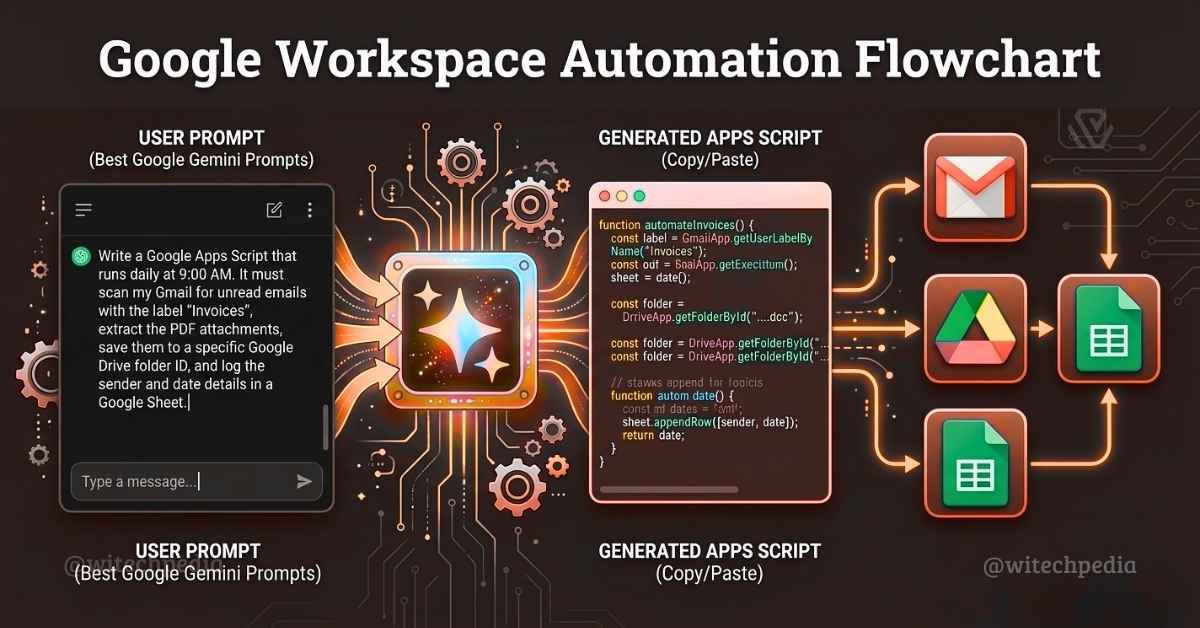
Because Gemini is built by Google, it possesses an unmatched, native understanding of the Google Workspace ecosystem. Use these Gemini apps script generator prompts for ultimate Gemini workspace automation.
The Automated Inbox & Drive Organizer
Prompt:
"Act as a Google Workspace Automation Expert. Write a complete Google Apps Script that runs daily at 9:00 AM. The script must:

1. Scan my Gmail for unread emails with the label 'Invoices'.
2. Extract any PDF attachments from those emails.
3. Save the PDFs to a specific Google Drive folder ID [INSERT_FOLDER_ID].
4. Log the sender's email, date received, and file name in a new row on a Google Sheet with the ID [INSERT_SHEET_ID]. Provide the exact steps on how to deploy this script and set up the time-driven trigger."
Google Cloud & Vertex AI Prompt Engineering
If you are operating within Google Cloud Platform (GCP), Gemini is natively trained on GCP’s documentation and best practices. Combine cloud infrastructure prompts with Vertex AI prompt engineering to secure your environments.
1. The GCP IAM Policy Auditor
Prompt:
"Act as a Google Cloud Security Architect. Review the attached JSON IAM policy for my GCP production environment. Identify any overly permissive roles, specifically looking for privilege escalation risks or accounts with unnecessary iam.serviceAccounts.actAs permissions. Rewrite the JSON file applying the strict Principle of Least Privilege."
Gemini vs. ChatGPT: When to Use Which?
To maximize your workflow, you need to know which AI model fits the task. Here is a quick breakdown:
| Feature/Task | Google Gemini (1.5 Pro / Advanced) | ChatGPT (GPT-4o) |
| Context Window | Winner: Massive (1M – 2M tokens). Best for analyzing entire codebases, long videos, and giant datasets. | Runner-Up: ~128k tokens. Great for single files or targeted document analysis. |
| Multimodality | Winner: Native understanding of video timelines, audio processing, and spatial image logic. | Runner-Up: Excellent image analysis, but relies heavily on text conversion. |
| Ecosystem Integration | Winner: Unmatched for Google Cloud, Apps Script, and Google Workspace automation. | Winner: Superior for custom GPTs, API plugin ecosystems, and Microsoft integrations. |
| Complex Logic / Math | Runner-Up: Highly capable but occasionally struggles with deep, multi-step chain-of-thought math. | Winner: Industry leader in complex logical reasoning and Python code execution environments. |
Frequently Asked Questions (FAQ)
Can Gemini analyze whole GitHub repositories?
Yes. With Gemini 1.5 Pro’s massive context window, you can package an entire repository into a .zip file or a single text payload and upload it directly. It can map dependencies, explain routing logic, and suggest sweeping refactors across dozens of interconnected files simultaneously.
Are my prompts used to train Google’s models?
If you are using the free, consumer version of Gemini, Google may use your conversations for model training (unless you explicitly turn off Gemini Apps Activity). However, if you are using Gemini Enterprise, Gemini for Google Workspace, or Vertex AI, Google’s enterprise privacy commitments guarantee that your code, prompts, and proprietary data are never used to train their base models.
Final Thoughts
The power of an AI model is entirely dependent on the quality of the instructions it receives. Google Gemini is an ecosystem powerhouse, offering unparalleled context limits and multimodal capabilities that go far beyond basic text generation.
By integrating these best Google Gemini prompts into your daily development and cloud management routines, you transition from a casual AI user to a high-velocity engineer.
How are you currently integrating Gemini into your tech stack? Let us know in the comments below, or subscribe to the WiTechPedia newsletter for more enterprise-grade AI automation strategies!