


Enhance your experience and support our site. Click "Accept" to consent to our Privacy and Cookie Policies.
Accept
WiTechPedia Primary Logo Colored Transparent White WiTechPedia Primary Logo Colored Transparent Black
  • Home
  • About Us
  • Contact Us
  • Services
  • Policies
    • Privacy Policy
    • Terms and Conditions
    • Cookie Policy
    • Disclaimer
    • Copyright / Licensing Policy
    • Refund & Cancellation Policy
    • Editorial Guidelines
  • What’s NewHot
Notification
Sign In
  • AI & ML
  • Cloud & Data
  • Cybersecurity
  • Tools
  • Programming & DevOps
  • Emerging Tech
  • Glossaries
  • Wikis
  • Guides
  • Reviews
  • Articles
  • Services
  • My Interests
  • My Saves
  • My Feed
  • My Bookmarks
Facebook Twitter Youtube Pinterest Linkedin
Personalize
WiTechPediaWiTechPedia
Font ResizerAa
  • Wikis
  • Guides
  • Reviews
  • Articles
  • Services
Search anything...
  • AI & ML
  • Cybersecurity
  • Programming & DevOps
  • Tech History & Glossaries
  • Cloud & Data
  • Hardware & Software
  • Emerging Tech

Follow @witechpedia on social media

FacebookLike
XFollow
PinterestPin
InstagramFollow
YoutubeSubscribe
LinkedInFollow

What's New at WiTechPedia

Explore More
Complete Guide To Windows On Arm App Compatibility, Showcasing Copilot+ Pc Native Apps Running On A Snapdragon X2 Processor.

Windows on ARM App Compatibility: The Ultimate 2026 Directory

A Glowing 3D Conceptual Diagram Explaining What Is A Vector Database And How High-Dimensional Data Is Stored.

What is a Vector Database? The Complete Architecture Guide (2026)

Openclaw Review 2026: Self-Hosted Ai Gateway Interface On Mac And Mobile

OpenClaw Review 2026: The Ultimate Privacy-First AI Gateway?

4.7 out of 5
2 Views
A Usb Flash Drive Inserted Into A Macbook Pro M5 For A Clean Macos Installation.

How to Install macOS: The Ultimate Guide (Clean Install, Recovery & USB)

1 View
Have an existing account? Sign In
Follow US
© 2026 WiTechPedia | All Right Received | Managed by @antoniopartha
WiTechPedia > What’s New > Hardware & Software > Operating Systems > Windows on ARM App Compatibility: The Ultimate 2026 Directory
Operating Systems

Windows on ARM App Compatibility: The Ultimate 2026 Directory

Worried about software on your new Copilot+ PC? Check our definitive Windows on ARM app compatibility directory for Snapdragon X2 native and emulated apps.

Antonio Partha
Last updated: March 18, 2026 7:03 PM
By
Antonio Partha
Avatar Of Antonio Partha
ByAntonio Partha
Hi, I'm Antonio Partha Dolui, a full-stack developer with 6+ years of experience in web development and SEO optimization. I specialize in helping startups and small...
Follow:
No Comments
Share
8 Min Read
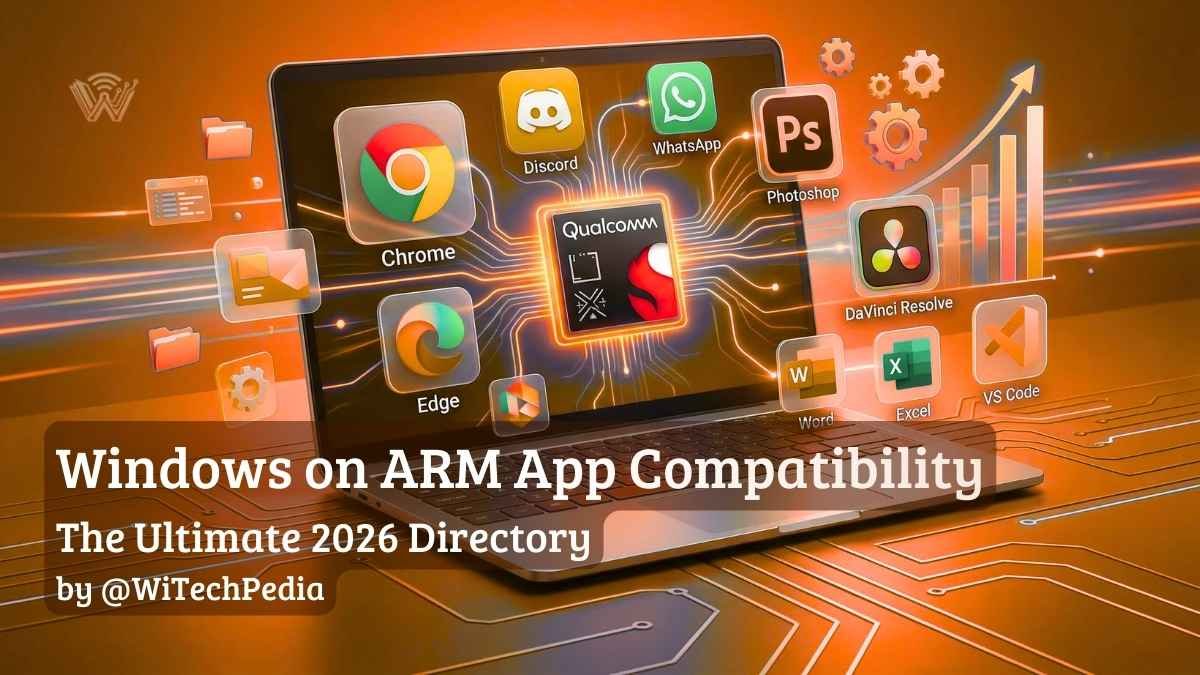
Complete Guide To Windows On Arm App Compatibility, Showcasing Copilot+ Pc Native Apps Running On A Snapdragon X2 Processor.
The software ecosystem for Copilot+ PCs has expanded massively, with most major apps running natively on ARM.
SHARE

The rapid rise of the Snapdragon X2 Elite and Copilot+ PCs has shifted the tech landscape, but hardware is only as good as the software it runs. If you are considering the jump to next-generation silicon, Windows on ARM app compatibility is the single most important factor to verify before making a purchase. While early ARM devices struggled with performance overhead, the 2026 ecosystem is vastly different. Today, over 93% of the apps most users spend their time in are running natively, and the rest are handled by a dramatically improved emulation layer.

Table of Contents
  • Native vs. Emulated: Understanding the “Prism” Engine
  • The WiTechPedia App Compatibility Directory
  • How to Check if an App is Running Natively (ARM64)
  • Frequently Asked Questions (FAQ)
  • Further Reading

Welcome to the definitive, living encyclopedia for Windows on ARM software support.

Native vs. Emulated: Understanding the “Prism” Engine

When you install an application on a Snapdragon-powered PC, the operating system handles the code in one of two ways. If the app is not built specifically for ARM, Windows 11 uses a translation layer called Prism to emulate traditional x86 or x64 instructions.

To make this directory easy to navigate, we have categorized software into three distinct tiers:

  • Tier 1 (ARM64 Native): Compiled specifically for the ARM architecture. These apps launch instantly, maximize the new 45+ TOPS NPUs, and drain the least amount of battery. (Expect up to 20+ hours of continuous use on modern Snapdragon X2 laptops).
  • Tier 2 (Emulated x86/x64): Runs through the Prism emulator. Thanks to improvements in Windows 11 Prism emulator performance, these apps run smoothly for everyday tasks, though they generally consume 15% to 20% more battery life than their Tier 1 counterparts due to translation overhead.
  • Tier 3 (Incompatible): Fails to launch entirely. This is almost always due to deep kernel-level driver requirements, such as specialized anti-cheat software in competitive games or legacy cybersecurity protocols.

The WiTechPedia App Compatibility Directory

1. Web Browsers & Communication

The foundational apps of the modern workflow are almost universally native in 2026.

ApplicationStatusNotes
Google ChromeNativeFully optimized for Snapdragon processors.
Microsoft EdgeNativeBest battery life for browsing on ARM.
DiscordNativeTransitioned to stable ARM64 late last year.
WhatsAppNativeIncludes NPU-accelerated cross-device resume.
ZoomNativeNPU powers background blur and framing natively.
SlackNativeRuns smoothly via Prism with minimal battery hit.

2. Creative & Design Software

Adobe and Blackmagic have made massive strides to ensure creators are not left behind on Copilot+ PCs.

ApplicationStatusNotes
Adobe PhotoshopNativeFully supports ARM64.
Adobe LightroomNativeAI masking features utilize local NPU hardware.
DaVinci ResolveNativeVersion 19.1+ is deeply optimized for Snapdragon.
FigmaNativeDesktop app runs natively on ARM architecture.
BlenderNativeRendering is fully supported.
Adobe Premiere ProEmulatedCore app works via Prism; some legacy x86 plugins may fail.

3. Productivity & Office

Cloud storage and office tools are the backbone of enterprise computing, and support on ARM is now virtually flawless.

ApplicationStatusNotes
Microsoft Office 365NativeWord, Excel, and PowerPoint are fully ARM-optimized.
Google DriveNativeOut of beta as of 2025; integrates perfectly with Explorer.
NotionNativeExtremely responsive on ARM.
1PasswordNativeFull biometric integration via Windows Hello.

4. Developer Tools & IT

Developers building the future of software can now confidently code on ARM machines without worrying about x86 emulation on Snapdragon getting in the way.

ApplicationStatusNotes
Visual Studio CodeNativeOfficial ARM64 builds available and highly stable.
PythonNativeCore libraries run efficiently.
Git for WindowsNativeFully supported natively.
Docker DesktopEmulatedRequires specific configuration; WSL2 backend runs natively.

5. VPN & Security Software

Because cybersecurity tools and Virtual Private Networks (VPNs) require deep kernel-level access to route your traffic, traditional x86 VPNs generally fail on ARM. Fortunately, the biggest providers have completely rewritten their apps for Snapdragon processors.

ApplicationStatusNotes
NordVPNNativeFully rewritten for ARM64 with custom NordLynx protocol support.
ExpressVPNNativeLightway protocol runs natively with zero emulation overhead.
SurfsharkNativeFull ARM support released alongside the Copilot+ PC launch.
MalwarebytesNativeReal-time protection drivers are fully ARM-compatible.
Legacy Corporate VPNsIncompatibleMany older Cisco AnyConnect or proprietary corporate VPNs still require x86/x64 architecture. Check with your IT department.

6. Gaming & Anti-Cheat (The Dealbreakers)

While gaming via Prism is possible for casual titles, competitive gamers must pay close attention to this section. Kernel-level anti-cheats look for x86 hardware and will block execution on ARM.

ApplicationStatusNotes
SteamEmulatedThe launcher runs perfectly via Prism.
Baldur’s Gate 3EmulatedPlayable at 1080p, utilizing Prism translation.
Cyberpunk 2077EmulatedPlayable on low to medium settings.
ValorantIncompatibleVanguard anti-cheat strictly requires x64 architecture.
Apex LegendsIncompatibleEasy Anti-Cheat blocks ARM systems entirely.

How to Check if an App is Running Natively (ARM64)

If you already own a Snapdragon PC and want to verify how your software is running, Windows makes it incredibly easy to check.

  1. Press Ctrl + Shift + Esc to open the Task Manager.
  2. Navigate to the Details tab on the left sidebar.
  3. Right-click on any of the column headers (like Name or PID) and click Select Columns.
  4. Scroll down, check the box for Architecture, and click OK.
  5. Look at the new Architecture column next to your running apps. If it says ARM64, it is running natively. If it says x64 or x86, it is running through the Prism emulator.

Frequently Asked Questions (FAQ)

Can I run standard Windows (.exe) files on a Snapdragon PC?

Yes. Thanks to Microsoft’s Prism emulator, the vast majority of standard x86 and x64 .exe files will install and run exactly as they would on an Intel or AMD PC. The only major exceptions are programs that rely on custom hardware drivers or deep kernel access.

Does Google Drive work on Windows 11 ARM?

Yes. After spending time in beta, Google released a stable, native ARM64 version of Google Drive for Desktop. It integrates flawlessly with the File Explorer on Snapdragon laptops without requiring workarounds.

Will Intel and AMD apps run slower on ARM?

Apps running through the Prism emulator generally see a 10% to 15% performance overhead compared to running natively. However, because modern chips like the Snapdragon X2 Elite are so incredibly fast, this emulation overhead is completely unnoticeable in day-to-day tasks like web browsing or text editing.

Further Reading

  • Hardware Guide: Windows 11 26H1: The Ultimate Guide to the Hardware-Exclusive “Bromine” Update
  • The Future of the OS: Windows 12 (Hudson Valley): The Complete WiTechPedia Wiki & Roadmap

Software updates happen fast in the ARM ecosystem. Join the WiTechPedia newsletter to get an alert the moment major apps drop native ARM support.


TAGGED:Windows 11Windows 12

Sign Up For Weekly Newsletter

Be keep up! Get the latest Technology Updates, delivered straight to your inbox.
By signing up, you agree to our Terms of Use and acknowledge the data practices in our Privacy Policy. You may unsubscribe at any time.
Share This Article
Facebook Copy Link Print
Share
What do you think?
Love0
Sad0
Happy0
Sleepy0
Angry0
Wink0
Avatar Of Antonio Partha
ByAntonio Partha
Follow:
Hi, I'm Antonio Partha Dolui, a full-stack developer with 6+ years of experience in web development and SEO optimization. I specialize in helping startups and small businesses overcome slow load times, poor rankings, and outdated tech stacks — and achieve top 3 Google positions and 3x faster website performance.
Leave a Comment Leave a Comment

Leave a Reply Cancel reply

Your email address will not be published. Required fields are marked *

What's New at WiTechPedia

A Full-Stack Developer Using The Best Google Gemini Prompts On A Multi-Monitor Setup To Analyze Cloud Infrastructure And Massive Codebases.
The Best Google Gemini Prompts for Developers & Power Users (2026)
Generative AI
11 Min Read
A Devops Engineer Using The Best Prompts For Devops To Automate Deployment With Ai On A High-Tech Dual-Monitor Setup.
Best Prompts for DevOps & CI/CD Pipeline Automation (2026)
DevOps & Tools
10 Min Read
A Soc Analyst Using The Best Prompts For Cybersecurity Incident Reports To Generate An Automated Executive Summary.
Best Prompts for Cybersecurity Incident Reports (2026): NIST & ISO Compliant
Data Privacy
8 Min Read
A Tech Professional At A Dual-Monitor Setup Using The Best Chatgpt Prompts To Automate Coding And Productivity Tasks.
100+ Best ChatGPT Prompts for Tech Professionals & Developers (2026)
Generative AI
10 Min Read
Best Prompts For Debugging Code 2026 Guide Featuring A Split Screen Of A Frustrated Developer And A Clean, Bug-Free Ai Code Solution.
Fix Bugs Fast: Best Prompts for Debugging Python, JS & C++
DevOps & Tools
8 Min Read

Follow @WiTechPedia on Social Media

FacebookLike
XFollow
PinterestPin
InstagramFollow
WiTechPedia Main Logo Black Transparent WiTechPedia Main Logo White Transparent

Explore WiTechPedia, The free technology encyclopedia packed with wikis, guides, tools, reviews, & articles on AI & ML, Cloud & Data, Cybersecurity, Programming, Hardware & Software, History & Glossaries. Unlock knowledge today!

  • Important links:
  • Privacy Policy
  • Cookie Policy
  • Copyright
  • Terms of Service

Quick Links

  • AI & ML
  • Cloud & Data
  • Cybersecurity
  • Tools
  • Programming & DevOps
  • Emerging Tech
  • Glossaries

About Us

  • About Us
  • Contact Us
  • Wikis
  • Reviews
  • Guides
Facebook Twitter Youtube Pinterest Linkedin

© 2026 WiTechPedia | All Right Received | Managed by @antoniopartha

WiTechPedia Popup image black
Join WiTechPedia!
Subscribe to our newsletter and never miss our latest Technology related Wikis, Guides, Reviews, Articles, Tools & More for FREE...
Zero spam, Unsubscribe at any time.
WiTechPedia - The FREE Technology Encyclopedia WiTechPedia - The FREE Technology Encyclopedia
Welcome Back!

Sign in to your account

Username or Email Address
Password

Lost your password?

Not a member? Sign Up