





In an era of increasing digital surveillance and cyber threats, understanding what is a VPN (Virtual Private Network) is no longer just for IT professionals—it is a fundamental necessity for anyone with an internet connection. A VPN creates a secure, encrypted connection, often called a “tunnel,” between your device and a remote server. This process masks your IP address, secures your data from prying eyes (including ISPs, hackers, and government agencies), and allows you to bypass geographic restrictions.
Whether you are a developer securing a remote database or a casual user streaming content from abroad, this guide covers the technical architecture, protocols, and practical applications of VPN technology.
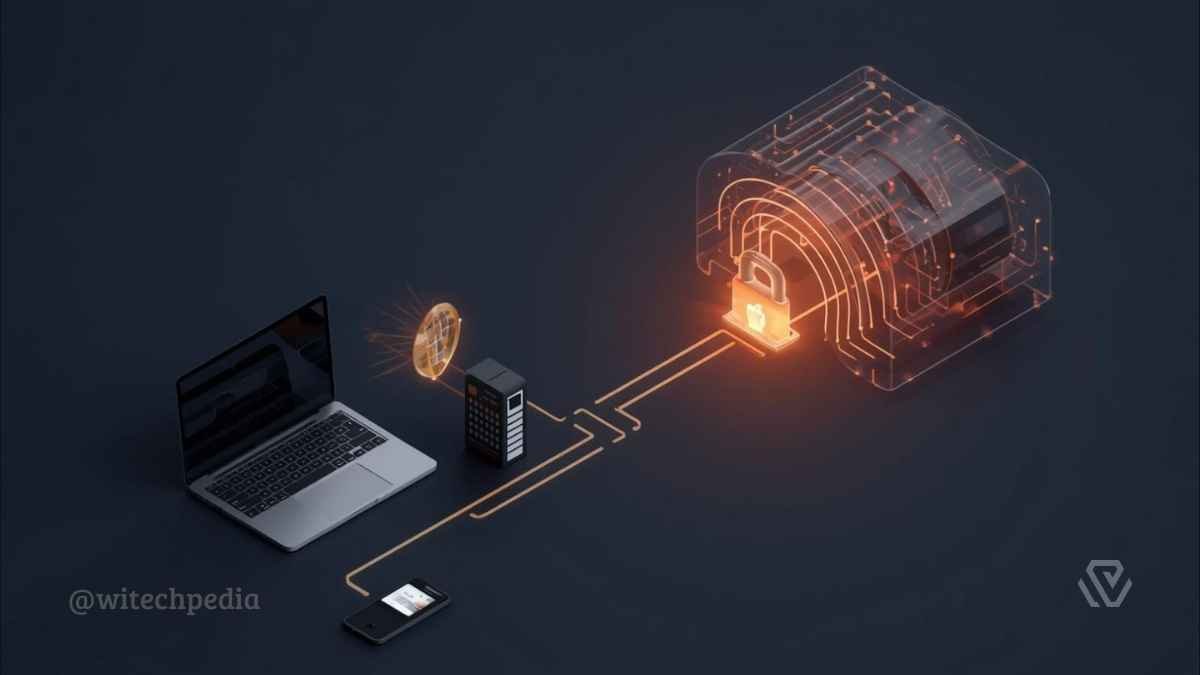
How Does a VPN (Virtual Private Network) Work? The Technical Mechanics
To understand the security a VPN provides, we must look at the three critical stages of a connection: Encapsulation, Encryption, and IP Masking.
1. Tunneling and Encapsulation
When you activate a VPN, the client software on your device wraps your data packets inside another packet. This “outer” packet acts as a shield, hiding the content of your request from external observers. This process is technically known as tunneling.
- Check out our detailed guide on Tunneling Protocols
2. Encryption Standards
Before the data leaves your device, it is scrambled using cryptographic algorithms. The current Advanced Encryption Standard (AES) is AES-256 (Advanced Encryption Standard), which is used by banks and military organizations worldwide.

3. IP Masking
Once the data reaches the VPN server, the server decrypts the request and forwards it to the destination website. To the website, the request appears to come from the VPN server’s IP address, not your home IP.
Did You Know? The concept of the VPN was originally developed by Microsoft in 1996 using the PPTP protocol. It was designed solely to allow employees to work securely from home, not for personal privacy.
Key VPN Protocols Explained
Not all VPN connections are created equal. The “Protocol” determines how your data is routed and encrypted. Choosing the right one is crucial for balancing speed and security.
OpenVPN vs. WireGuard
- OpenVPN: The gold standard for over a decade. It is open-source and highly configurable but relies on older code architectures.
- WireGuard: The modern standard. WireGuard uses state-of-the-art cryptography and a significantly leaner codebase (4,000 lines vs. OpenVPN’s 70,000+), resulting in faster speeds for streaming and gaming.
- You can check out Comparison: WireGuard vs. OpenVPN – Which is Faster?
Other Common Protocols
- IKEv2/IPsec: Excellent for mobile devices because it effectively handles network changes (e.g., switching from Wi-Fi to 4G) without dropping the connection.
- L2TP/IPsec: An older standard that bundles the Layer 2 Tunneling Protocol with IPsec for security. It is slower and easily blocked by firewalls.
- PPTP: <span style=”color:red;”>Obsolete.</span> Do not use this protocol. It is vulnerable to basic decryption attacks and offers no real security.

Essential Features: What Makes a Good VPN?
When selecting a provider, you must look beyond marketing claims. These are the technical features that ensure true privacy.
- Kill Switch: A fail-safe mechanism. If your connection to the VPN server drops unexpectedly, the Kill Switch instantly cuts your internet access to prevent your real IP address from being exposed.
- Learn: How to Test Your VPN Kill Switch
- Split Tunneling: Allows you to route specific app traffic (e.g., a torrent client) through the encrypted tunnel while letting other apps (e.g., a local banking app) access the internet directly.
- No-Logs Policy: A guarantee that the provider does not store records of your browsing history or connection timestamps.
- Tip: Always look for providers with independently audited no-logs claims. you can choose the Best No-Log VPNs for Privacy.
Types of VPN Architectures
While consumers are familiar with commercial VPN apps, there are other architectural types used in the industry.
- Remote Access VPN: Connects individual users to a private network. This is the standard “Consumer VPN” used for personal privacy (e.g., NordVPN, ExpressVPN).
- Site-to-Site VPN: Used primarily by large corporations to connect two different office networks (LANs) over the internet.
- Client-Based vs. Browser Extensions:
- Client-Based: Encrypts all traffic leaving your device.
- Browser Extension: Usually just a proxy that only encrypts traffic within that specific browser. It does not protect other apps.
The Developer’s Corner: Self-Hosted vs. Commercial
This section is for advanced users and developers.
As a full-stack developer, you might consider hosting your own VPN. Here is the trade-off:

Self-Hosted VPNs (The DIY Route): Using a VPS provider (like DigitalOcean or Linode), you can install OpenVPN Access Server or Algo VPN.
- Pros: You have 100% control over your data. No third-party logging.
- Cons: You lose “anonymity” because the VPS IP is registered to your billing account.
- Check out our Guide: How to Set Up Your Own VPN on Ubuntu
Commercial VPNs (The Service Route):
- Pros: Shared IP addresses mix your traffic with thousands of other users, making it nearly impossible to isolate a single user’s activity.
- Cons: Requires trust in the provider.
Legal & Ethical Considerations
Is using a VPN legal? In 95% of the world (including the US, UK, and most of Europe), utilizing a VPN is perfectly legal. However, some countries restrict or ban their use to control information flow.
Warning: While a VPN provides anonymity, it does not grant immunity. Committing illegal acts (such as downloading copyrighted material or cyber-stalking) remains illegal regardless of whether your IP is masked.
Conclusion
A Virtual Private Network is a fundamental layer of defense in a surveillance-heavy digital world. Whether you choose the raw speed of WireGuard or the battle-tested security of OpenVPN, the decision to encrypt your traffic is a decision to reclaim your digital privacy.
Ready to secure your connection?
- Find the right tool: Best VPNs for 2026 (Ranked by Speed)
- Verify your privacy: WiTechPedia IP & DNS Leak Test Tool