




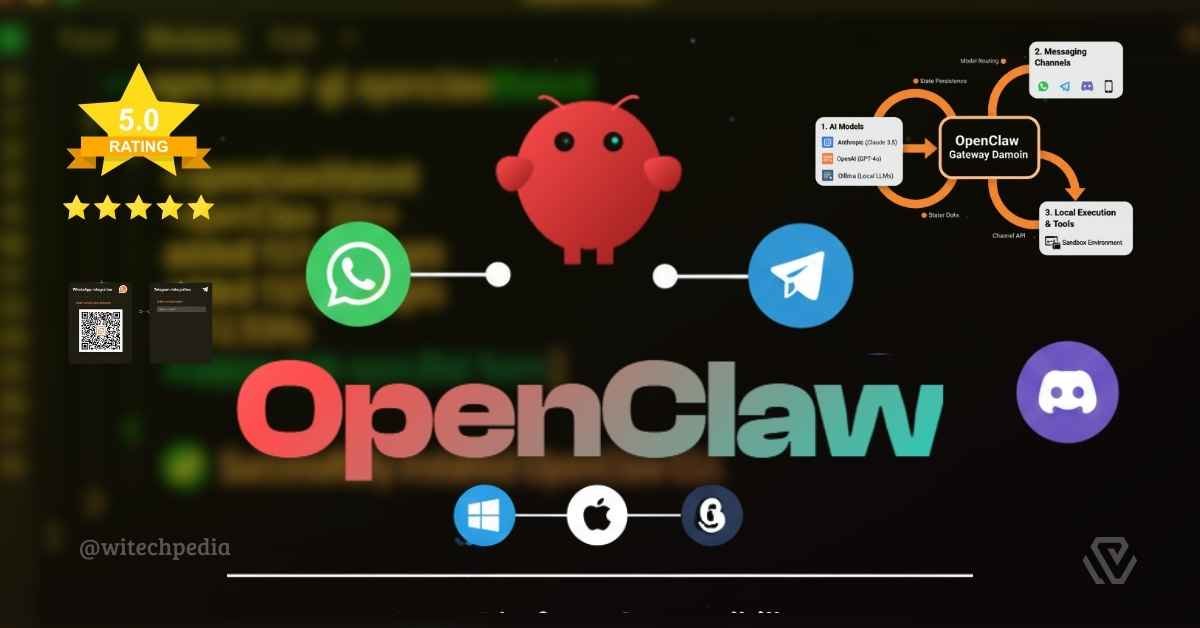
OpenClaw is an open-source, local-first AI gateway designed to bridge Large Language Models (LLMs) with multi-channel messaging platforms. Unlike traditional “wrapper” apps, the OpenClaw architecture operates as a persistent daemon, enabling AI agents to interact with a user’s local filesystem, web browsers, and system terminal through a unified interface.
Technical Architecture Overview
The OpenClaw AI ecosystem is built on a modular “Hub-and-Spoke” model, ensuring that the heavy lifting of AI reasoning is separated from the execution of local tasks.
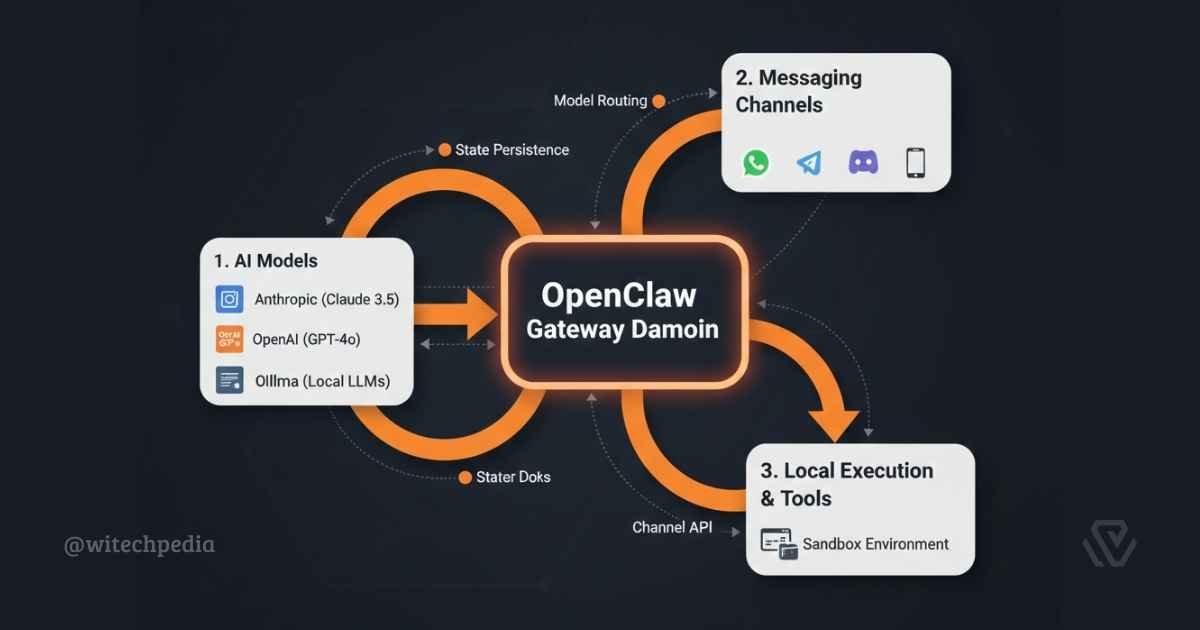
1. The Gateway Daemon
At the heart of the system is the OpenClaw Gateway. Written in Node.js 22+, this daemon manages:
2. Multi-Channel Integration
OpenClaw abstracts various messaging protocols into a single “Channel API.” This allows the agent to behave consistently whether it’s receiving a message via Telegram, Signal, or iMessage. For setup details, see our OpenClaw Installation Guide.
The OpenClaw Skills System
The OpenClaw Skills system is the framework that allows the AI to perform “Tool Use.” Each skill is a discrete capability defined by a JSON manifest.
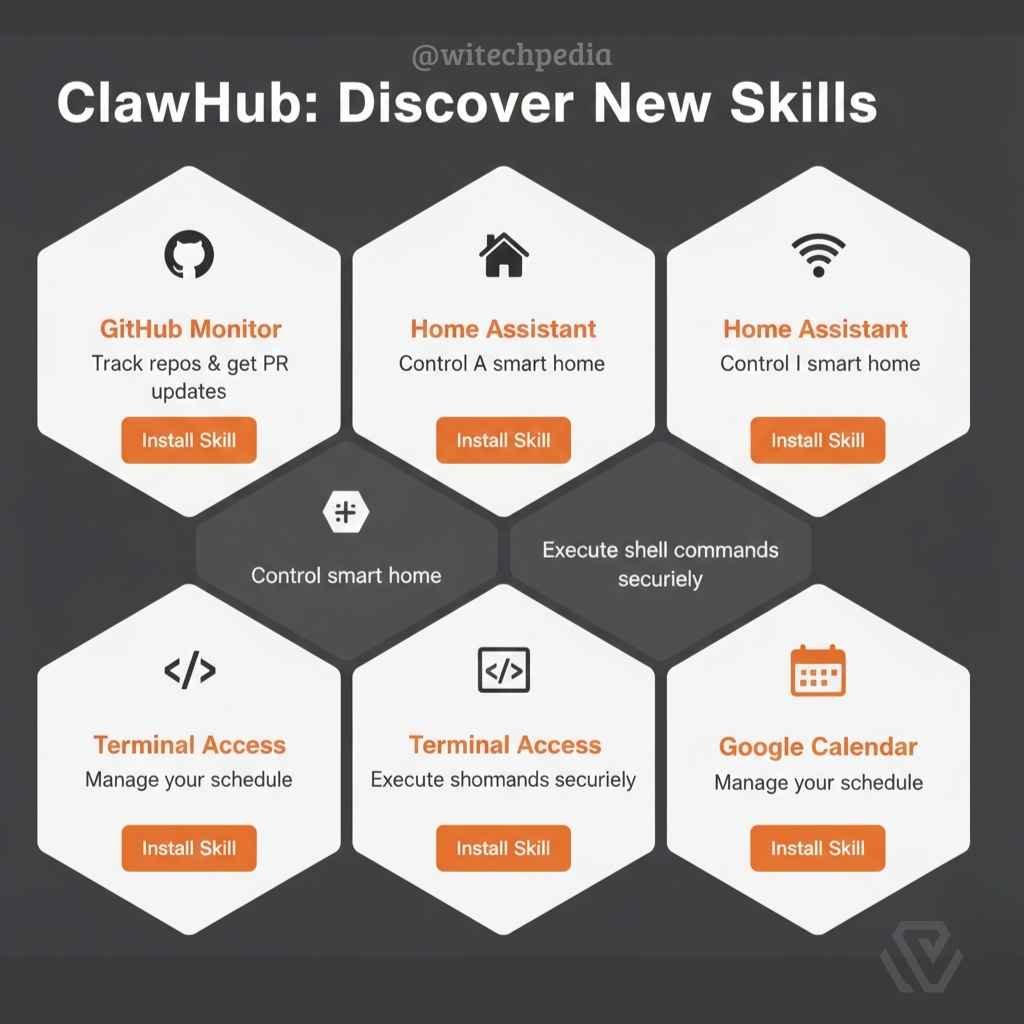
1. Core Skill Categories
2. ClawHub: The Registry
ClawHub is the community-driven marketplace for skills. By following the Model Context Protocol (MCP), OpenClaw ensures that any skill added is compatible with future LLM iterations. You can view our deep dive on these features in our OpenClaw Review.
Competitive Analysis: The AI Agent Landscape
In the rapidly evolving world of agentic AI, OpenClaw occupies a specific niche focused on personal automation and privacy.
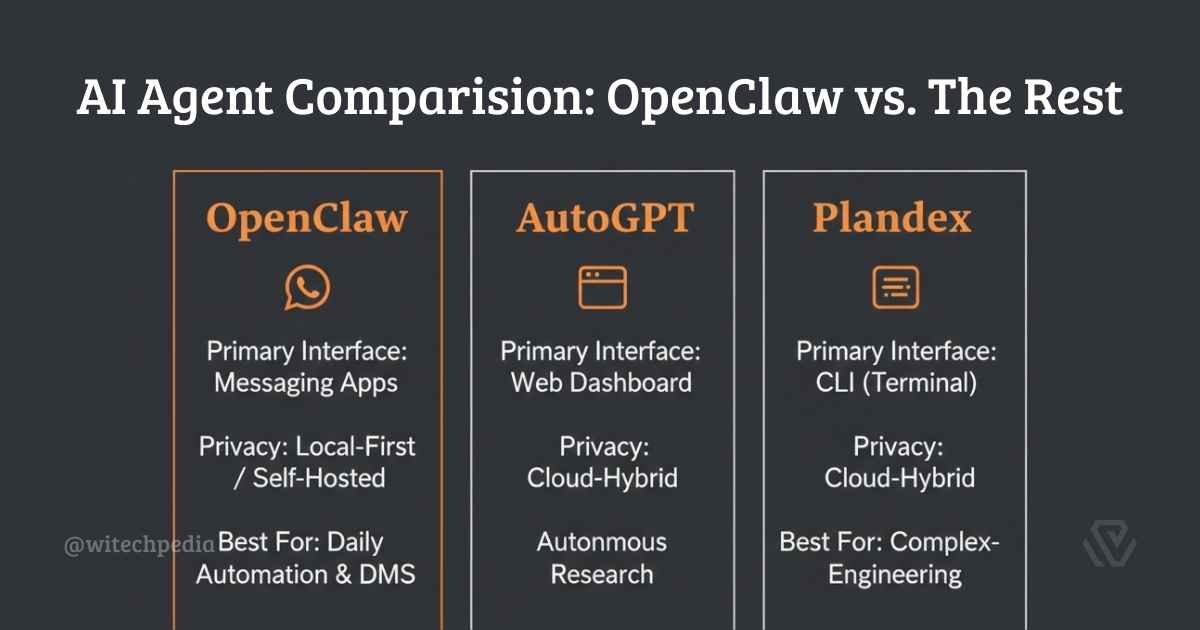
| Feature | OpenClaw | AutoGPT | Plandex |
| Primary Interface | Messaging Apps | Web Dashboard | CLI (Terminal) |
| Privacy Model | Local-First / Self-Hosted | Cloud-Hybrid | Cloud-Hybrid |
| Execution | Proactive (Heartbeat) | Autonomous Loops | Manual Trigger |
OpenClaw Security & Sandboxing
Because OpenClaw can execute code, security is a primary architectural pillar. The system utilizes Docker Isolation to ensure that the AI “agent” operates within a restricted environment.
- Access Denied by Default: Agents cannot access the host’s root directory or
.envfiles without explicit user permission. - Safety Confirmations: High-risk commands (like
rm -rf) require a manual “Yes/No” via your messaging app before execution.
OpenClaw FAQ (Knowledge Base)
Is OpenClaw free to use?
OpenClaw is MIT-licensed and free to host. Your only costs are the API tokens from providers like Anthropic or OpenAI, unless you run local models.
What are the minimum system requirements?
To run the OpenClaw Gateway effectively, we recommend at least 2GB of RAM and Node.js 22+. For Windows users, a WSL2 (Windows Subsystem for Linux) environment is mandatory.
Can I use OpenClaw without an internet connection?
Yes, if you configure it to use Local LLMs via Ollama. However, messaging channels like WhatsApp or Telegram will still require a connection to receive your prompts.
Further Reading on WiTechPedia
- Getting Started: Step-by-Step OpenClaw Installation Guide
- Performance Analysis: Comprehensive OpenClaw Review 2026
- Official Resources: OpenClaw GitHub Repository