




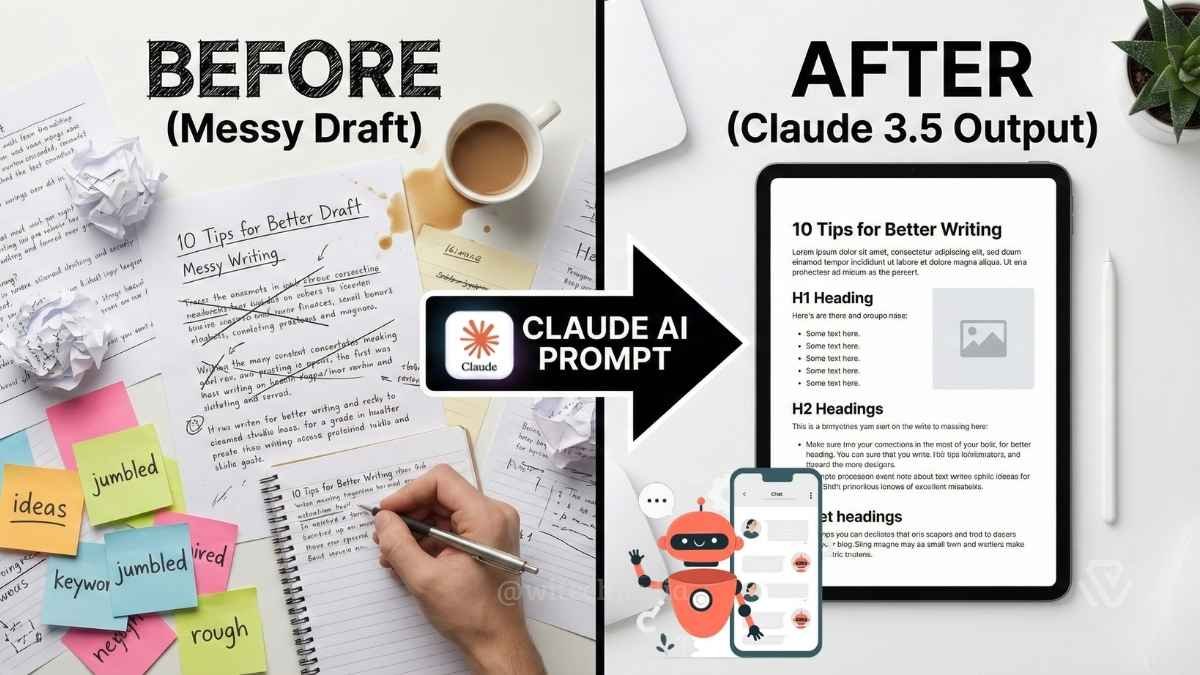
Struggling to get high-quality content from your AI tools? You aren’t alone. Most users find that without the right instructions, AI output can sound robotic or generic. That is why we have curated the Best Claude AI prompts to help you automate your writing workflow while maintaining a human touch. Unlike ChatGPT, Anthropic’s Claude 3.5 Sonnet excels at nuance and tone, making it the superior choice for writers who need professional results.
In this guide, we will provide you with 10 “steal-worthy” prompts for copywriting, SEO blogging, and research summarization that you can start using today.
Why Claude AI is Superior for Writing (vs. ChatGPT)

Before we dive into the specific prompts, it is important to understand why Claude is often the preferred tool for writers. As detailed in our Claude AI vs. ChatGPT comparison, Claude’s training focuses heavily on “Constitutional AI,” which reduces the tendency to use fluffy, flowery language (like “delve” or “tapestry”) that plagues other models.
- Nuance & Tone: Claude adheres strictly to style guides, making it easier to mimic your personal brand voice.
- 200k Context Window: You can upload entire books or multiple PDFs, allowing for deep summarization without losing details.
- Project Knowledge: With the Claude Projects feature, you can upload your brand guidelines once, and Claude will apply them to every new piece of content.
The 10 Best Claude AI Prompts for Content Creators
Here are the top prompts divided by category. Pro Tip: For the best results, use these in the Claude 3.5 Sonnet or Opus 4.6 models.
Copywriting Prompts for High-Converting Sales Copy
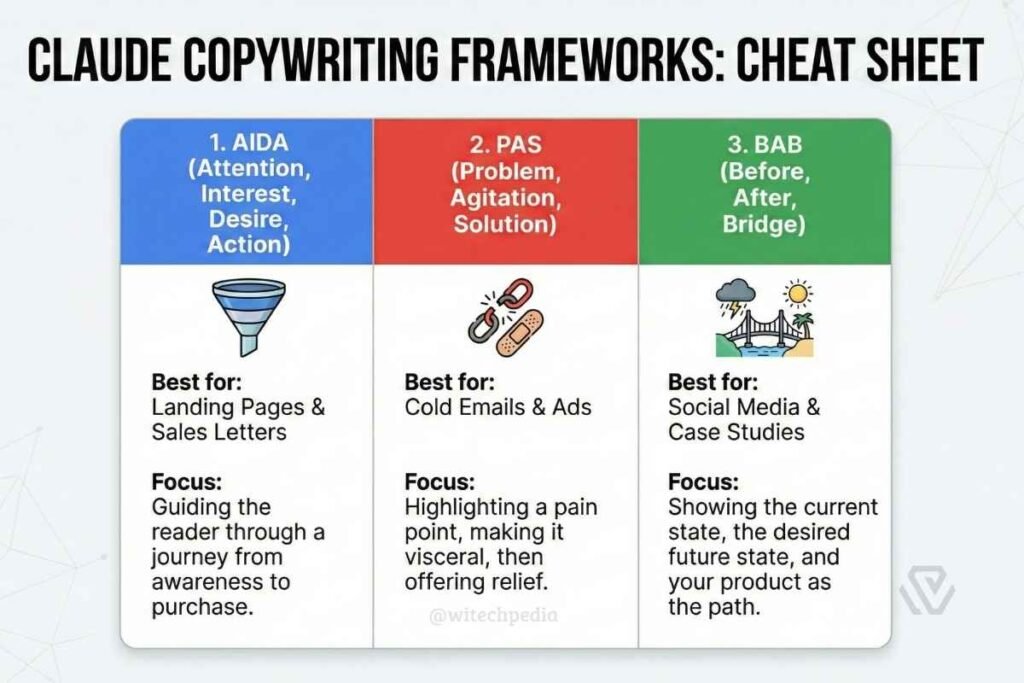
If you are looking to drive sales or capture leads, generic copy won’t cut it. These copywriting prompts use proven frameworks to persuade your audience.
1. The “Landing Page Architect”
Use this to generate high-converting headers and subheads.
Prompt: “Act as a direct-response copywriter. I need to write a landing page for [Product Name], which helps [Target Audience] solve [Main Pain Point].
Task: Write 5 variations of a Hero Section (Headline + Subheadline + CTA Button).
Constraints:
- Focus on the benefit, not the features.
- Use the ‘How to [Benefit] without [Pain Point]’ formula for at least two variations.
- Keep the tone urgent but professional.”
2. The “Objection Handler”
Use this to identify why people aren’t buying and address it.
Prompt: “I am selling [Product/Service] to [Target Audience]. The price point is [Price].
Task:
- Identify the top 5 objections a potential buyer might have.
- For each objection, write a 2-sentence response that validates their concern and then overcomes it with a specific benefit or guarantee.
- Format this as a FAQ section.”
SEO Blog Prompts to Rank on Google
Creating content that ranks requires structure. These SEO blog prompts ensure your articles are optimized for search engines like Google while remaining helpful to readers.
3. The “SEO Outline Builder”
Use this before you write a single word to ensure topical authority.
Prompt: “Act as an SEO specialist. I want to write a blog post targeting the keyword: ‘[Your Keyword]’.
Task: Create a detailed article outline.
- H1: Suggest 3 catchy, click-worthy titles.
- Structure: List 5 H2 subheadings that follow a logical narrative.
- Content: Under each H2, list 3 specific bullet points of unique value (avoid generic advice).
- Intent: Ensure the content satisfies [Informational/Transactional] search intent.”
4. The “Long-Form Article Writer” (Section-by-Section)
Don’t ask Claude to write the whole post at once. Use this iterative prompt.
Prompt: “Using the outline we just created, please write the content for the section ‘[Insert H2 Heading]’.
Style Guidelines:
- Write in short, punchy paragraphs (maximum 3 sentences).
- Include a real-world example to illustrate the point.
- Avoid jargon and overuse of transition words like ‘Furthermore’ or ‘Moreover’.
- Tone: Conversational and authoritative.”
Summarization & Research Prompts
One of Claude’s strongest features is its massive context window. These prompts help you master summarization of large documents.
5. The “Executive Summary” Synthesizer
Perfect for turning 50-page PDFs into actionable insights.
Prompt: “I am providing a transcript/document below. Please act as a senior business analyst.
Task: Summarize the text into a ‘One-Pager’ executive report.
- The Bottom Line: A 2-sentence summary of the main argument.
- Key Findings: The 5 most critical data points or arguments.
- Action Items: What should the reader do next based on this info?
Source Text: [Paste text or Upload PDF]”
6. The “Gap Analysis” Researcher
Find out what your competitors are missing.
Prompt: “I am pasting an article from a competitor below. Analyze it and tell me:
- What key questions did they fail to answer?
- Is there any data that seems outdated?
- What is the ‘weakest link’ in their argument?
Use this analysis to suggest 3 ways I could write a better article on the same topic.”
Style & Tone Mimicry Prompts
7. The “Ghostwriter” (Brand Voice Trainer)
Prompt: “I want you to learn my writing style. Please analyze the text below (which is a previous article I wrote). Note my sentence length, use of humor, and formatting quirks.
Task: Once analyzed, confirm you understand the style. Then, write a new LinkedIn post about [Topic] using strictly that same voice.
Reference Text: [Paste your writing]”
8. The “Tone Polisher”
Prompt: “The following draft sounds too robotic and stiff. Please rewrite it to sound:
- More conversational (like a helpful colleague).
- More concise (cut the word count by 20%).
- Active voice only.
Draft: [Paste Text]”
How to Engineer Your Own Perfect Claude Prompts
To get the Best Claude AI prompts, you need to move beyond simple questions. As we discuss in our Guide to Prompt Engineering, every great prompt should contain four elements:
- Role: Tell Claude who it is (e.g., “Act as a Senior Editor”).
- Context: Give background (e.g., “The audience is skeptical developers”).
- Task: Be specific (e.g., “Write a 500-word intro”).
- Constraints: Set limits (e.g., “No passive voice,” “Use bullet points”).
Maximizing Results with ‘Projects’ & ‘Artifacts’
If you are on the Claude Pro plan, you can automate this even further.
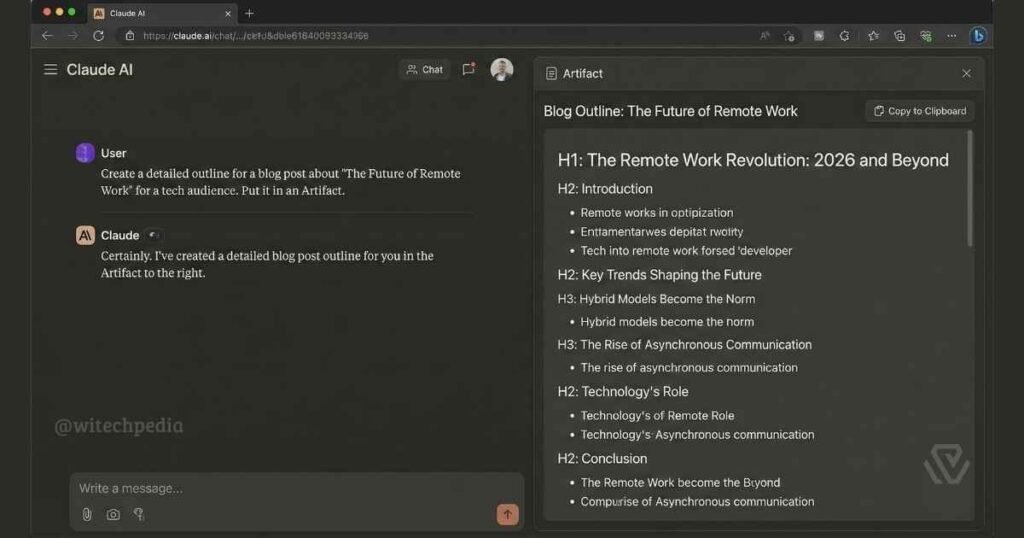
- Artifacts: When using the SEO or Copywriting prompts above, ask Claude to “Put this in an Artifact.” This opens a dedicated window where you can view and edit the text side-by-side without cluttering the chat. Read our full How to Use Artifacts tutorial for more.
- Projects: Instead of pasting your “Brand Voice” prompt every time, save it in a Project. Claude will then reference that style guide automatically for every new chat in that folder.
Is Claude better than ChatGPT for creative writing?
Yes. Most professional writers prefer Claude because its “Constitutional AI” training results in more natural, human-sounding prose compared to ChatGPT’s often repetitive sentence structures.
Can these prompts be used on the free version?
Absolutely. All 10 of these Best Claude AI prompts work on the free tier (Claude 3.5 Sonnet), though heavy usage may hit daily message limits.
How do I stop Claude from sounding like an AI?
The key is the “Style Mimic” prompt (#7 above). By feeding it examples of your own writing, you force the model to abandon its default training weights in favor of your specific cadence.
What is the best model for copywriting?
We recommend Claude 3.5 Sonnet for short, punchy copy, and Claude Opus for long-form thought leadership pieces where complex reasoning is required.